In this article
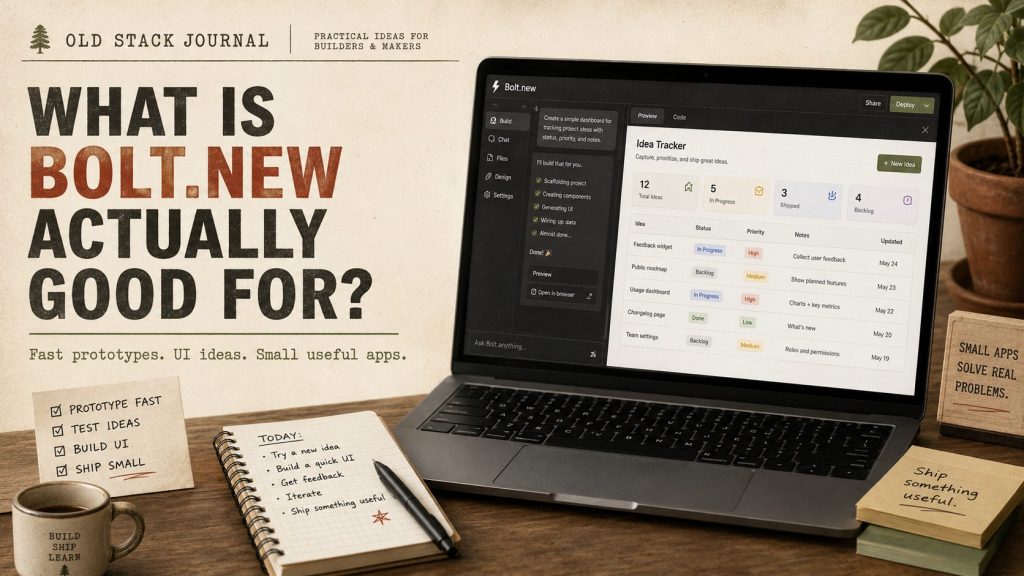
Question: What is Bolt.new actually good for?
Bolt.new is best for quickly turning an app idea into a working prototype you can click through, inspect, and learn from. It is useful for landing pages, simple web apps, early product experiments, dashboard concepts, and interface exploration, but a working Bolt preview still needs testing, review, data checks, and deployment judgement before you treat it as production software.
The short version is that Bolt is good at getting you to the first visible shape of an idea. It is not a guarantee that the idea is good, safe, maintainable, or ready for real users. That distinction matters because AI app builders can make software feel finished before the important builder questions have been answered.
The useful part is speed to first shape
Bolt.new is attractive because it gets you from idea to something visible quickly. Its public positioning is around prompting, running, editing, and deploying apps from the browser, which puts it in the same practical family as tools like Lovable, Replit, v0, and Firebase Studio. The details differ between those tools, but the broad promise is similar: describe what you want, get a working-looking first version, then keep shaping it.
That is genuinely useful. A lot of ideas die because the first version takes too long to see, or because the person with the idea cannot explain the flow clearly enough for anyone else to react to it. A prompt-based builder can help you find the shape of a product faster: the screens, the rough user flow, the missing fields, the confusing labels, and the parts that feel clunky once they are not just words in a notebook.
That is the best use case for Bolt. It helps you explore the idea while the idea is still cheap to change. If the first prototype makes the project feel clearer, that is useful. If the first prototype shows you that the whole thing is more awkward than expected, that is useful too.
Treat the first output as a sketch
The mistake is treating the first working output as proof that the app is ready. A generated app can look finished because the UI appears, buttons exist, data saves somewhere, the page reloads, and maybe the assistant even added auth, filters, settings, and a dashboard. That can feel like progress because it is progress, but it is still early progress.
Software quality is not just whether the first demo runs. It is whether the app behaves properly when the input is messy, whether the data model makes sense, whether the code can be understood later, whether the deployment path is sensible, and whether the result is safe enough for the job it is being asked to do.
Before trusting a Bolt output, I would still ask these questions:
- Does the data model make sense for the actual job?
- Are the important flows testable by a normal user?
- What happens when a required field is empty, duplicated, or weirdly long?
- Can the code be exported, inspected, or maintained by someone else later?
- Where does the app run, and what does deployment actually involve?
- What happens when the AI-generated structure starts getting messy?
- Could another developer understand this project without starting again?
Those are not anti-Bolt questions. They are normal builder questions, and they become more important once a prototype starts turning into something people might depend on.
Where Bolt.new fits well
I would use Bolt for early product work where speed and clarity matter more than perfection. It is a good fit when you want to see whether an idea has a sensible shape, whether the interface makes sense, or whether a feature is worth building properly. That makes it useful for solo builders, non-developers, small teams, and developers who want a quick first pass before deciding what to keep.
The strongest Bolt use cases are usually small and specific. I would try it for quick landing page drafts, simple dashboard concepts, rough SaaS interface exploration, app idea demos, form-based tools, CRUD-style prototypes, and experiments where you want to test whether a workflow makes sense before you invest more time in it.
For non-developers, Bolt can be especially helpful because it shortens the distance between “I have an idea” and “I can see what this might be.” That matters because seeing the idea often reveals the problem more clearly than talking about it. A prototype can show you that a workflow needs fewer screens, that a field is missing, that the terminology is wrong, or that the whole thing is not worth building after all.
I covered the hands-on caveats in Bolt.new Review: Fast App Prototypes, With a Few Important Caveats. This article is the simpler answer version: Bolt is good for prototypes, but prototypes are not the finish line.
Where I would be careful
I would slow down if the project involves payments, private user data, complex permissions, long-term maintainability, business-critical workflows, compliance-sensitive work, or production deployment for real customers. Bolt may still help with early exploration, but the review burden gets much heavier once the app moves near real money, real users, or sensitive information.
That does not mean Bolt cannot help on serious projects. It means the tool should not be the only thing standing between a prompt and production. The same is true of most AI app builders. They are good at turning intent into a first structure, but they are not a replacement for product judgement, testing, security review, or understanding what the app is doing.
The risky pattern is letting the tool keep adding features on top of a structure you do not understand. That is how you end up with a good-looking demo and a maintenance problem. The safer pattern is to keep the first version small enough that you can review it properly, even if you are not a professional developer.
How Bolt compares with other AI app builders
Bolt belongs in the same conversation as Lovable, Replit, v0, Firebase Studio, and the wider set of tools people now group under vibe coding or AI app building. I would not choose between those tools by asking which one is universally best, because the answer changes with the job. A tool that is great for a quick interface prototype may not be the best place to maintain a small hosted app, and a tool that exposes more of the code may feel less friendly to someone who only wants a clickable sketch.
For me, Bolt’s place is near the fast-prototype end of the spectrum. It makes sense when the important thing is getting the first shape of an app onto the screen quickly. If you want to compare options more broadly, the useful question is not “which AI app builder is the winner?” It is “which one helps me understand this specific project better?”
That is also why I would pair Bolt with a broader AI app-builder workflow rather than treating it as a one-tool answer. You might use Bolt to explore the idea, another tool to compare the flow, and a more deliberate development setup once the project starts becoming real. The prototype is part of the process, not the whole process.
A better Bolt workflow
A safer Bolt workflow starts with a smaller brief than you probably want to write. Instead of asking for the whole product, describe the first useful version. Name the user, the one job they need to do, the fields that matter, and the output you expect. That gives the tool less room to invent a fake platform around a small idea.
After the first version appears, slow down and review it like a builder. Click through every path manually, enter bad data, refresh the page during normal flows, check the mobile layout, and ask Bolt to explain the data model and file structure in plain English. If the app uses accounts, storage, APIs, payments, or anything involving real users, move even more carefully.
The important part is that you keep the scope small enough to review. A bad workflow is asking for the entire product in one prompt, then letting the tool stack more features on top every time something feels missing. That can feel productive in the moment, but it often leaves you with a project you cannot explain or safely carry forward.
If you are new to this kind of work, it is worth reading Vibe Coding Tips for Non-Programmers before treating any generated app as more than a prototype. The tool can help you build faster, but you still need a review habit.
For solo builders, Bolt is a question-answering tool
The real value of Bolt is not just code generation. It helps answer early product questions that are hard to settle in your head. Does this idea need one screen or five? Is the workflow obvious once it is visible? What fields did you forget? Does the app still make sense when someone else clicks through it? Is the idea actually worth building?
Those are useful answers. Sometimes the best result of a prototype is deciding not to build the bigger thing. That is not failure. That is a good save, especially for solo builders who have limited time and too many possible projects competing for attention.
This is where Bolt fits nicely with a practical OSJ-style workflow. Use the tool to make the idea visible, then use your judgement to decide what the prototype taught you. If the idea still feels strong after the first version, you can keep going. If it feels awkward, you have learned that cheaply.
How non-developers should think about Bolt
For non-developers, Bolt can be empowering because it makes app-building feel less locked away. You do not need to start by learning a framework, setting up a local environment, choosing a database, and figuring out deployment before anything appears on screen. You can start with the shape of the thing you want, which is often the part you understand best.
The tradeoff is that you still need to know when to stop. If the app starts handling private data, real customers, payments, or important workflows, you should get technical review before relying on it. A non-developer can still do a lot of useful testing, but there is a difference between exploring an idea and running production software.
If you are comparing tools as a non-developer, I would also look at the broader category rather than assuming Bolt is automatically the first or only answer. I’ve written separately about the best vibe coding tools for non-developers, because the right choice depends on whether you need a prototype, a UI draft, a hosted app experiment, or help working inside an existing codebase.
What I’d do next
If you are using Bolt.new, use it to make the idea visible. Keep the first version small, use fake or low-risk data, and review the result like a builder rather than a spectator. Ask what worked, what broke, what you do not understand, and whether the code is worth carrying forward or whether the prototype has already done its job.
Bolt.new is useful when it helps you think and test faster. It becomes risky when you mistake speed for readiness. That is the practical line I would keep in mind: use Bolt to reach a better first draft, then slow down before you treat that draft as real software.