In this article
Question: Is Bolt.new a good AI app builder for fast prototypes?
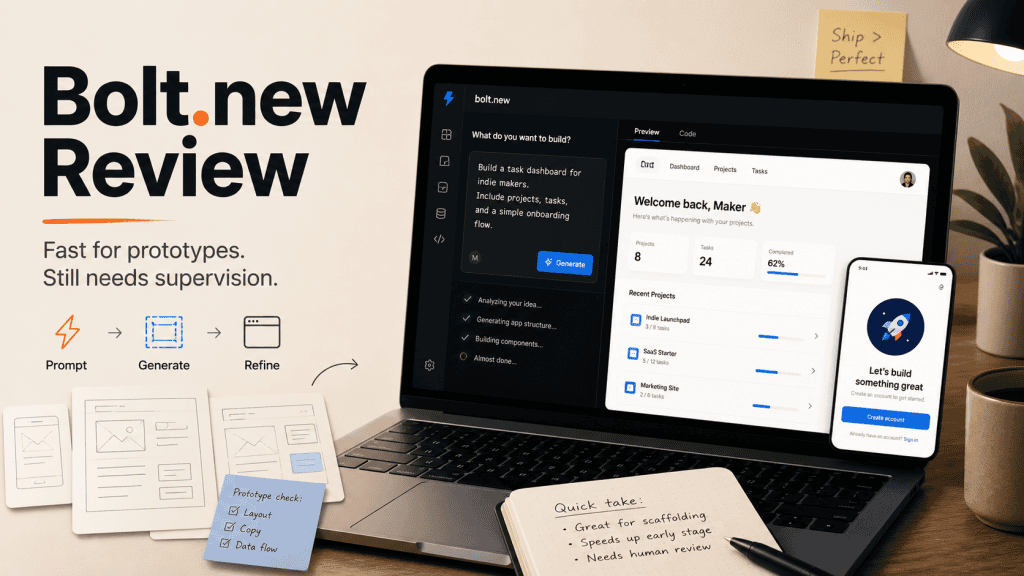
Bolt.new is a good AI app builder when you want to get from an app idea to a clickable first prototype quickly. It is useful for landing pages, simple dashboards, CRUD-style tools, SaaS mockups, internal tool sketches, and early product experiments, but I would not treat a working Bolt preview as a finished production app. The useful mental model is simple: Bolt can help you see and test the shape of an idea faster, but the generated app still needs human review, data checks, security judgement, and proper deployment thinking before real users depend on it.
Quick summary
Bolt.new is genuinely useful if you want to get an app idea onto the screen quickly. You describe what you want, Bolt generates the project, and you can start clicking around in a live preview without setting up a local development environment first. For the right kind of task, that is very handy because it removes a lot of early plumbing from the prototyping stage.
I would use Bolt for landing pages, dashboards, calculators, simple CRUD-style tools, SaaS mockups, internal tool prototypes, and rough app ideas that need to become visible before they become serious. That is where it earns its keep. It helps you move from “I think this might work” to “now I can actually react to this,” which is often the point where a project becomes clearer.
I would not treat Bolt as a production shortcut. Bolt is strongest at the early stage of building, when you are still figuring out what the app should be. It gets weaker once the project needs careful architecture, secure authentication, payment flows, database rules, edge cases, monitoring, and long-term code maintainability.
Use Bolt.new to explore ideas quickly. Don’t confuse a working preview with a finished production app.
That is not really a criticism. It is the right mental model. Bolt is useful when you treat it like a fast AI-powered prototyping tool. It gets risky when you treat it like a senior developer, product architect, security reviewer, and deployment engineer all sitting inside one browser tab, which would be convenient but a bit optimistic.
What Bolt.new is
Bolt.new is an AI app builder from StackBlitz. The simple version is this: you describe the app you want in plain English, and Bolt generates a working project inside a browser-based development environment. It is not just a chatbot handing you code snippets and leaving you to work out where everything goes.
Bolt gives you a chat interface, generated project files, a live preview, package installation, and deployment options in the browser. That makes it feel more like an AI-powered mini IDE than a traditional no-code builder. Its own docs describe it as an AI-powered builder for websites, web apps, and mobile apps, which is a fair description of the current shape of the product.
That positioning matters because Bolt sits in the same wider AI app-builder category as Lovable, Replit, v0, Firebase Studio, and the broader pile of tools people now group under vibe coding. Each tool has a different centre of gravity, but the shared promise is similar: describe what you want, get a working-looking first version, then keep shaping it.
For early prototypes, that is a pretty useful promise. The place to be careful is when the product starts moving beyond a visual first draft. Bolt’s current materials talk more about hosting, databases, integrations, and backend-style features than the early “prompt-to-code” wave did, and that makes the tool more interesting. It also means the review burden gets more important because generating a nice-looking app screen is one job, while generating a safe, maintainable, production-ready app is a very different job.
What I tested it for
I am judging Bolt as a practical solo-builder tool, not as a magic startup machine. The fair question is not whether Bolt can build a perfect company in a browser tab. That is demo-land. The better question is whether Bolt can help a solo builder get from idea to useful first draft faster.
That is where tools like this actually make sense. I am thinking about jobs like building a landing page, sketching a dashboard, creating a simple app prototype, generating a basic CRUD-style tool, testing a SaaS interface idea, playing with React or Next.js-style layouts, and checking whether an app idea feels worth continuing.
For those jobs, Bolt is useful. It reduces the friction between “I have an idea” and “I can see something on screen.” That matters because a lot of solo projects die before they become visible, not because the idea is bad, but because the blank folder stage is annoying.
Bolt helps with that part. It gets you to something you can react to, which is often more useful than sitting there trying to imagine the whole thing in your head while your coffee gets cold and your confidence quietly leaves the room.
This is also why I wrote a simpler answer piece, What Is Bolt.new Actually Good For?. This review looks at the tool more broadly, while that article gives the direct practical answer for people who just want to know where Bolt fits.
Setup experience
The setup experience is one of Bolt’s best features. You do not need to install Node locally, configure a bundler, choose a framework, set up a preview server, or spend twenty minutes doing project plumbing before you even know whether the idea is worth building. You type what you want, Bolt starts building, and you get a live preview.
That is the appeal. It is a big difference from tools that only output code snippets, because snippets are useful but still leave you with the job of deciding where everything goes. Bolt gives you the files, the structure, and the running app in one place, which makes the first pass feel much more concrete.
For beginners and visual builders, that is valuable. Seeing the thing working changes the process because it is much easier to improve a rough first draft than to stare at an empty project folder trying to imagine the whole app. This is where Bolt feels genuinely good: it shortens the distance between idea and visible shape, and for a lot of solo builders, that distance is where projects go to die.
What worked
Speed to first prototype
This is the obvious win. Bolt is very good at getting from an idea to a first working screen quickly, especially when the idea is small enough to describe clearly. For simple apps, the first or second prompt can often produce something good enough to evaluate.
That does not mean finished, polished, or ready to ship without review. It means good enough to react to. That is useful when you are still asking basic product questions like whether the idea makes sense, what pages it needs, what the main workflow looks like, and whether the interface feels obvious once it exists outside your head.
Bolt helps you answer those questions faster, especially if you are a solo builder who does not want every idea to become a full setup process. Sometimes the most useful thing an AI app builder can do is not write perfect code. It can show you that the project is smaller, messier, or less interesting than you thought.
Visual iteration
Bolt works well when you want to iterate visually. You can start with a rough prompt, look at the result, then keep steering it with direct instructions like these:
Make the header sticky.

Add a pricing section.

Turn this into a dashboard.

Make it feel more old-web.

Add a settings page.

Show the data in cards instead of a table.
This kind of back-and-forth is where AI app builders feel genuinely useful. You are not asking the tool to make every product decision. You are using it to move through possible layouts, screens, and structures quickly, which is a good job for AI when you keep giving it direction.
The important bit is still steering. Bolt can move fast, but it needs direction. If you ask for something vague, it will happily fill in the gaps, and not all of those gaps will be filled with things you actually wanted. That is not unique to Bolt, but the speed makes it easier to drift into a project shape you never deliberately chose.
Real code output
Bolt is not a closed drag-and-drop builder where everything only exists inside a visual editor. It generates actual project files, which means you can inspect the code, look at the structure, and continue the work elsewhere if needed. That distinction matters because the output is not just a screenshot of an idea.
That does not mean the generated code is always clean, elegant, or production-ready. I would not assume that from any AI app builder. What it does mean is that Bolt is closer to an AI-assisted development environment than a locked-down no-code toy, and that makes it more useful for developers and semi-technical builders who want to inspect, learn from, edit, export, or rebuild from the generated project.
For non-developers, real code output is both a benefit and a warning. It is better than being trapped inside a platform you cannot understand, but it also means the project can become real software faster than your review habits are ready for. That is why the first build should be treated as a draft, not a business dependency.
Simple app shapes
Bolt is a strong fit for common small app patterns. I would be comfortable using it for landing pages, simple websites, calculators, dashboards, admin panels, prototype SaaS interfaces, internal tools, basic CRUD-style apps, client mockups, and product flow experiments.
These are exactly the kinds of things solo builders often need to sketch before deciding whether to spend more time. Bolt makes that first sketch much faster. Not perfect, not automatically production-ready, but faster, and faster is useful when the goal is learning whether the idea deserves more effort.
This is also where Bolt fits neatly beside the broader non-developer vibe-coding discussion. If you are using AI tools to make small web apps or practical prototypes, What Are the Best Vibe Coding Tools for Non-Developers? is the wider tool-category piece, while this review is specifically about where Bolt does and does not fit.
What felt risky
Complexity changes the experience
Bolt feels most impressive at the beginning of a project, which is also where most AI app builders look their best. The problems usually show up later, when the app has more files, more state, more dependencies, more routes, more user flows, and more edge cases.
That is when the experience can shift from “this is magic” to “this is a fast junior developer who needs supervision.” That second version is still useful, but only if you understand the role the tool is playing. Bolt can help you move quickly, but it can also make confident changes you did not really want if your instructions are too broad or the project context gets messy.
That is a general AI coding problem, not only a Bolt problem. The difference is that Bolt can generate and modify a whole running project in the browser, which can make the false sense of completion stronger. The preview works, the UI looks good, and it is tempting to assume the project is further along than it really is.
Auth, payments, and database logic need caution
This is the part where I would be most careful. Authentication, payments, permissions, and database-backed logic are not the same as visual prototyping. A login screen that appears to work is not the same as secure authentication. A checkout button in the UI is not the same as a safe payment flow. A table that stores data is not the same as a well-designed application model.
Bolt may help you get these pieces started, and its ecosystem now includes more hosting and database-oriented options than the earliest versions of these tools. That makes it more capable, but capability is not the same as review. Anything involving real users, private data, money, permissions, or business-critical workflows needs proper human inspection before you trust it.
This is especially important for non-technical users because a generated app can look convincing long before it is actually safe or maintainable. The preview is not the proof. The preview is a first draft wearing nice shoes.
Token usage can get annoying
Bolt uses token-based AI usage, and its current pricing model is built around different plans and usage limits. That is normal for AI tools, but it matters because debugging loops can burn through usage quickly. The problem is not paying for a tool that saves time. The problem is cost predictability when the tool gets stuck.
If Bolt keeps trying to fix the same issue repeatedly, you can spend tokens without making much progress. That is frustrating, and it changes the value calculation. AI app builders are not free labour, and failed attempts still cost usage, attention, and patience.
That means Bolt is easier to justify when you use it for focused prototyping, not endless “try again” loops where the tool keeps nibbling tokens while your app stays broken in exactly the same way. A better habit is to stop after a couple of failed repairs, ask the tool to explain the actual issue, and decide whether the project has outgrown the quick-prototype stage.
The generated app can feel more finished than it is
This might be the biggest trap. Bolt can make something look finished very quickly, and that can create false confidence. You can end up with a nice layout, working buttons, smooth UI, a plausible dashboard, and maybe even auth-looking screens or database-looking features. The problem is that a polished prototype is still a prototype.
This is where solo builders need discipline. The safer workflow is to use Bolt to explore the idea, keep the scope small, review what it generated, and only move important pieces into a real project after you understand them. That is less exciting than “prompt an app into existence,” but it is also less likely to leave you maintaining mystery code with a brave little smile and a growing sense of regret.
How Bolt compares with Lovable, Replit, and other AI app builders
Bolt is not the only tool in this space anymore, which is why I would not judge it in isolation. Lovable, Replit, v0, Firebase Studio, and similar tools are all circling the same broad problem: helping people move from an idea or prompt to a working-looking app faster than a traditional build process would allow.
That does not mean they are interchangeable. I think of Bolt as strongest near the fast-prototype and product-shape end of the spectrum. Lovable also fits that product-sketching zone. Replit is more interesting when you want to work inside a more obvious code-and-deployment environment. v0 is strongest when the main job is modern web UI. Firebase Studio makes more sense when the project already belongs near Firebase services and a fuller app platform.
The practical question is not which AI app builder is universally best. The better question is which one helps you understand your specific project with the least confusion. Bolt is a good choice when the first thing you need is a visible working draft, but it may not be the final place where the app should live forever.
This is also why I would treat Bolt as one tool in a wider AI app-builder workflow. Use it to explore the idea quickly, compare the result with other tools if that helps, and then slow down once the project starts needing real architecture, accounts, storage, payments, or long-term maintenance.
Pricing and value
Bolt has a free plan for testing and smaller prototypes, with paid plans for heavier use. The exact token allowances, plan details, and pricing can change, so I would check Bolt’s pricing page before making a decision based on any specific number. That is especially true with AI tools, where usage models and plan limits tend to move around.
The general shape is still easy enough to understand:
| Plan | General fit |
|---|---|
| Free | Testing, small prototypes, limited usage |
| Pro | Solo builders doing regular app and web prototype work |
| Teams | Shared workspace and team usage |
| Enterprise | Larger organisations, governance, and custom needs |
The value depends heavily on how you use it. Bolt is easier to justify if you regularly need to prototype app ideas, generate quick UI drafts, test product flows, build simple internal tools, experiment with web app concepts, or create first-pass code that you later clean up. It is harder to justify if you only open it occasionally, or if most of your usage gets spent fighting the same bug.
A paid tool needs a job. For Bolt, the job is fast prototyping, not replacing your developer brain. That misunderstanding is common with AI tools because the first output can feel more impressive than the actual state of the project.
Who Bolt.new is for
Bolt is a good fit for solo builders who want to test ideas quickly. It is also useful for beginner developers who want to see how app structures fit together, visual builders who prefer editing by looking at the preview, indie hackers sketching MVPs, and small business owners exploring simple internal tools.
Developers can also get value from it, especially if they treat the output as a first draft rather than a final codebase. The best use case is straightforward: help me get a working version on screen so I can decide what to do next. That is a realistic job for Bolt, and it does that job well.
It is not a small thing either. Getting something visible often changes the project. You notice what matters, what does not, what feels awkward, and what should probably be cut before it becomes a whole feature-shaped mistake.
For non-developers, I would pair Bolt with a review habit from the beginning. Vibe Coding Tips for Non-Programmers covers that mindset more directly, but the basic rule is the same here: use the tool to move faster, then slow down enough to understand what it made.
Who should skip it
Bolt probably is not the right primary tool if you need strict control over architecture, production-grade authentication, complex database rules, payment-heavy SaaS logic, security-sensitive workflows, exact design implementation, or a long-lived codebase that needs to be maintainable from day one.
That does not mean Bolt cannot help with parts of those projects. It means I would not hand those responsibilities to Bolt blindly. For serious production apps, Bolt output should be treated as a draft: useful, maybe even impressive, but still a draft.
If you do not know how to review what it generated, be extra careful with anything public, paid, private, or important. That is admittedly most of the scary stuff, but it is better to be boring about this than to ship a public problem with a login screen.
Best use cases
Bolt.new looks genuinely useful for:
- landing pages
- simple websites
- prototype dashboards
- small calculators
- admin panels
- internal tools
- basic CRUD apps
- SaaS mockups
- UI experiments
- testing product ideas before building them properly
- generating app structures you later clean up or rebuild
The sweet spot is fast idea-to-interface work. That is where Bolt earns its keep, especially when the project is still safe to change, delete, or rebuild from scratch.
Poor use cases
I would be careful using Bolt as the main builder for:
- production SaaS with paying customers
- apps with sensitive user data
- complex authentication and permissions
- serious payment flows
- complicated database models
- large codebases
- apps with lots of business logic
- projects where maintainability matters immediately
The more your app depends on correctness, security, and long-term structure, the more human review matters. AI can generate code, but it cannot always know what should not be changed. That is the bit that bites.
Practical workflow I’d use
Here is how I would use Bolt as a solo builder without letting it run the whole project.
1. Start with a narrow prompt
I would not start with a broad prompt like this:
Build me a SaaS app that tracks my work hours.That gives the tool too much room to invent the product around you. I would ask something more specific:
Build a simple dashboard prototype for tracking customer support requests.

Include:
- homepage
- ticket list
- ticket detail view
- status filters
- settings page

Use mock data only.
Don’t add authentication or payments.
That keeps Bolt in the zone where it is useful. Specific prompts reduce chaos, while broad prompts invite the tool to make product decisions you probably have not made yet.
2. Keep the first build disposable
The first version should help you think. It does not need to become the final app. Use it to test the layout, the pages, the copy, the core flow, and the feature shape. If it teaches you that the idea is weak, that is still a useful result.
Not every prototype needs to graduate into a codebase. Some prototypes are there to save you from building the wrong thing with more confidence, which is one of the most useful outcomes a fast AI builder can give you.
3. Avoid serious plumbing too early
I would not rush into authentication, payments, database rules, and production deployment before the core idea is clear. Bolt makes it easy to add things quickly, but speed can hide scope creep. A simple prototype with mock data is often more useful than a half-real app with fragile plumbing.
Mock data is not fake work at this stage. It is a way to test the shape before you start attaching sharp objects. Once accounts, storage, private data, or money enter the picture, the review standard needs to rise.
4. Ask Bolt to explain what it changed
After each meaningful change, I would ask Bolt to explain the project structure, the important files, and what it just modified. That sounds slow, but it helps prevent the project from becoming a mystery. If the tool cannot explain the change clearly, or if you cannot follow the explanation well enough to test it, that is a sign to slow down.
This habit is especially useful for non-developers. You do not need to understand every line of code, but you should understand the rough map of the project. You should know where the app starts, where data is handled, what is mock data, what is real, and which parts would need review before real users touch them.
5. Export or rebuild carefully
Once the prototype teaches you something, decide what is worth keeping. Maybe you keep the layout. Maybe you keep the component structure. Maybe you keep a few bits of copy. Maybe you keep nothing except the product insight. That is fine because the goal is not to worship the generated code. The goal is to learn faster.
If the idea starts becoming serious, you may decide to export, rebuild, or hand the project to someone who can review it properly. That is not a step backwards. It is the normal moment where a prototype turns into a real build decision.
6. Review anything important manually
Anything involving users, data, payments, permissions, or security needs proper review. A working preview is not enough. This sounds dull because it is, but it is also the difference between a useful prototype and a public problem with a login screen.
The safest way to use Bolt is to let it speed up the early draft, then bring human judgement back into the workflow before the project starts carrying real responsibility. That is not anti-AI. That is how AI-assisted building stays useful.
Scorecard
| Category | Rating |
|---|---|
| Speed to first prototype | 9/10 |
| Visual experimentation | 8/10 |
| Beginner friendliness | 7/10 |
| Code ownership/exportability | 7/10 |
| Complex app reliability | 5/10 |
| Production readiness | 4/10 |
| Cost predictability | 5/10 |
These are practical ratings, not lab scores. Bolt is strongest where the job is fast exploration. It gets weaker as the job shifts toward durable production software. That is not a failure. That is the tool’s shape.
The scorecard also reflects how I think about most AI app builders. The first prototype is often impressive. The fifth revision, the data model, the deployment path, the auth layer, and the long-term maintenance story are where the real judgement starts.
Final verdict
Bolt.new is worth trying, especially if you are a solo builder who wants to test app ideas quickly. It is one of the more interesting AI app builders because it gives you more than generated snippets. You get project files, a live preview, package installation, and a fast feedback loop inside the browser.
That is genuinely useful, but the magic is strongest at the beginning of a project. Bolt is great when you need to turn an idea into something visible. It is weaker when you need durable architecture, secure authentication, clean business logic, reliable payments, and long-term maintainability.
Use Bolt.new to get ideas on screen fast. Don’t confuse that with having a finished app.
For solo builders, that is still valuable. A fast prototype can help you kill bad ideas earlier, improve decent ideas faster, and understand what you actually want to build before you open a serious codebase. That is a good use of AI, as long as you keep your hands on the steering wheel.