In this article
Question: What is a WordPress workflow?
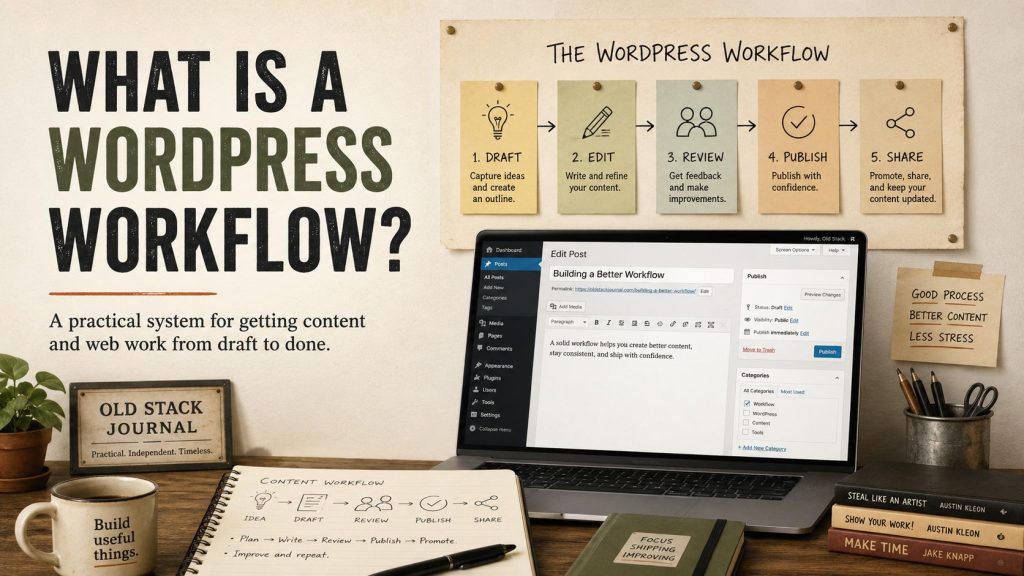
A WordPress workflow is the repeatable path a task follows through a WordPress site, from the thing that starts it to the final review, publication, hand-off, or record. It might cover drafting an article, approving a form submission, preparing social posts, updating site data, or passing information between WordPress and another tool. The useful version is not automation for its own sake. It is a clear process with human judgement kept in the right places.
WordPress can be the place where work moves
Most people think of WordPress as the place where a website or blog lives. That is fair, but it undersells what the system already provides.
WordPress has users, roles, posts, pages, custom fields, taxonomies, media, revisions, admin screens, plugin hooks, scheduled events, and a REST API. Those pieces make it a useful workflow surface for small teams, agencies, site owners, and solo builders.
This is one practical side of WordPress development: not just changing how a site looks, but making repetitive site work clearer, safer, and easier to review.
A workflow might start with a form submission, create a draft, assign a category, save source notes, generate social copy, and wait for a person to approve it. That is not just content management. It is a small operating system for publishing and site work.
A workflow is the path, not the plugin
The common mistake is starting with “which plugin should I install?” before writing down the actual process.
The plugin is only one part. The workflow is the path:
- What starts the task?
- What information is needed?
- Who or what changes it?
- Where is it reviewed?
- What gets published, sent, saved, or ignored?
- What record is left behind?
For Old Stack Journal, a simple example is the article workflow. Search data or a rough idea turns into a question-first draft. WordPress stores the draft, category, tags, excerpt, source notes, and review state. The repetitive setup can be automated, but the article still needs someone to decide whether it is useful and ready.
Practical WordPress workflow examples
- turning an approved article idea into a structured draft
- moving a guest post submission into a review queue
- turning a published article into platform-ready social drafts
- sending a form submission to the right person without losing the original record
- adding source notes, categories, tags, and internal-link suggestions before review
- syncing selected content to a newsletter or another internal tool
- logging automation runs so failures can be understood later
For a business owner, this could be as simple as making sure every enquiry reaches the right queue and gets a follow-up. For an agency, it might be a review process for client content. For a solo builder, it might be a controlled way to let a tool prepare drafts without giving it permission to publish.
Good WordPress workflows keep humans in the right place
Not every step should be automated. A good workflow automates repeated movement and formatting while leaving judgement-heavy decisions to a person. Creating a draft from structured information is a sensible automation target. Publishing it without review usually is not.
The same applies to social posting. I built the manual social posting desk for Old Stack Journal because I wanted WordPress to prepare platform-ready drafts, not pretend every generated post should go out untouched.
That is the balance I like: tools prepare, humans approve.
When the REST API matters
The WordPress REST API is one way external tools can talk to WordPress. For authenticated workflows, WordPress supports Application Passwords tied to a specific user account. They are intended for API access, stored hashed, shown only once when created, and can be revoked later.
That lets a dedicated tool user create drafts or update narrowly controlled information without receiving a main administrator password.
An Application Password is not a complete safety system on its own. The account permissions, endpoint design, conflict checks, revision history, logging, and review process still matter. A safer workflow limits what the tool can change and makes the result easy for a person to inspect.
What makes a WordPress workflow worth building?
- the same task happens repeatedly
- copy and paste is causing mistakes
- the task needs review before publication or hand-off
- WordPress is already the natural home for the result
- the process benefits from users, revisions, categories, tags, media, or custom fields
- the automation can leave a clear record of what happened
I would not build one just because two tools can connect. Connections are easy to demonstrate and easy to forget about. Maintenance, failed runs, unclear ownership, and hidden permissions are the real costs.
A simple way to plan one
Start by writing the current process in plain English. Do not start with plugins.
- Write down the trigger.
- List the information the task needs.
- Mark the decisions that require judgement.
- Automate only the repeated, structured steps first.
- Make failures and review status visible in WordPress.
That is where WordPress is still useful as an old-stack workflow tool. It can be the place where work lands, waits, gets reviewed, and becomes public only when someone decides it is ready.