In this article
Question: What should non-programmers build first with vibe coding?
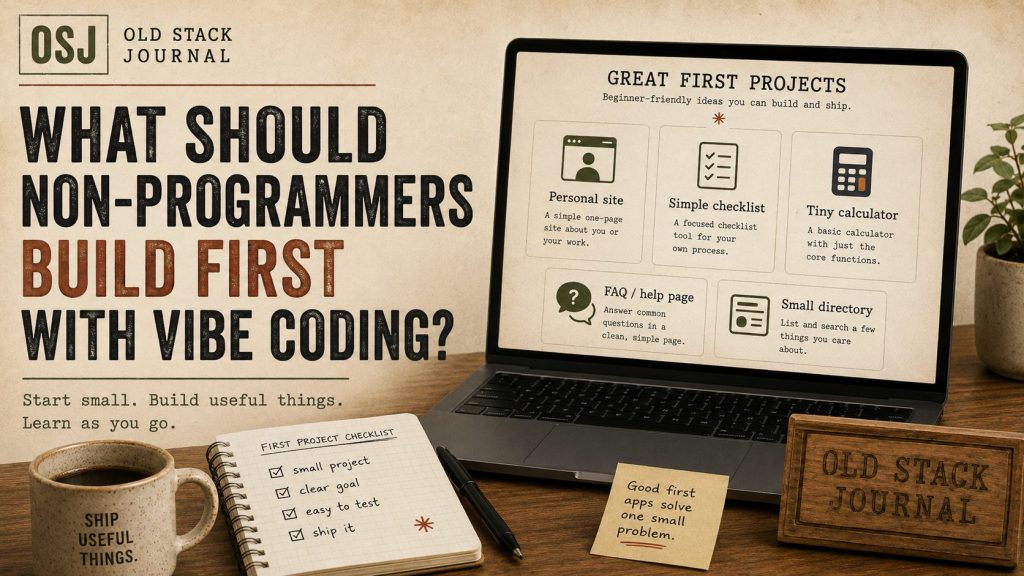
Non-programmers should start vibe coding with a small private tool that has one clear job, a simple screen, and low consequences if it breaks. A tracker, checklist, calculator, admin helper, or tiny dashboard is a better first project than a public SaaS, marketplace, social network, or anything involving payments.
Start with something boring enough to finish
The first vibe coding project should not prove that AI can build your dream company. It should prove that you can turn an idea into a working little tool, test it, understand the main pieces, and improve it without getting lost.
That is a different goal.
A lot of non-programmers start too big because the assistant makes the first screen look possible. The chat says it can build authentication, payments, dashboards, file uploads, notifications, admin tools, and analytics. Technically, it can generate code for those things. That does not mean you are ready to own them.
A better first project is small enough that you can explain the whole thing in a few sentences.
For example:
- a simple job application tracker
- a content ideas board
- a quote calculator
- a client follow-up checklist
- a habit tracker
- a tiny inventory list
- a personal CRM for remembering who you spoke to
- a dashboard that answers “what should I work on next?”
That last one is close to the idea in A “What Should I Work On Next?” Dashboard for Solo Builders. It is not glamorous, but it is useful and easy to judge. Either it helps you make a decision or it does not.
Good first projects have low blast radius
A good first project can break without hurting customers, leaking sensitive data, or charging someone twice.
That sounds obvious, but it is where many AI-built app attempts go sideways. A non-programmer can get a login screen, pricing table, dashboard, and database working in a weekend. The dangerous part is believing that a working preview is the same as a safe product.
For a first project, avoid:
- payments
- medical, legal, or financial advice
- private customer data
- public user accounts
- complicated permissions
- anything where downtime hurts someone else
Build something for yourself first. Then build something for a friend. Then maybe build something for a small group. Let your judgement grow with the complexity of the work.
Pick a project where the answer is visible
The best early vibe coding projects make failure easy to see.
A checklist either saves a task or it does not. A calculator either gives the expected number or it does not. A dashboard either sorts the projects correctly or it does not. You can test those things without being a senior developer.
That matters because AI coding is not magic. The assistant will misunderstand things, invent fields, skip validation, create weird edge cases, or fix one bug by adding another. Your first job is not to know every line of code. Your first job is to notice when the app is not doing what you asked.
I wrote more about this in Vibe Coding Tips for Non-Programmers, but the simplest rule is this: build things you can manually test.
Keep the first version almost embarrassingly small
A good first prompt might be:
Build a simple task tracker with one page. I need to add a task, mark it done, delete it, and filter by open or done. Keep it simple. Do not add accounts, teams, billing, AI features, or dashboards yet.
That is a good shape because it limits the assistant. It also limits you. You are not designing a product empire. You are learning the loop: ask, inspect, test, fix, save progress.
Once that works, add one feature at a time.
A bad first prompt is:
Build me a complete project management SaaS for agencies with payments, AI summaries, team accounts, email reminders, dashboards, and mobile support.
The assistant may try. That is the problem.
What to ask AI after the first build
After the first version works, do not immediately ask for five more features. Ask for understanding.
Useful follow-up prompts:
- Explain the files in this project in plain English.
- Show me where the data is saved.
- What are the most likely ways this could break?
- Give me a manual test checklist.
- What should I back up before changing this?
- What is the smallest next improvement?
Those questions keep you in the builder seat. You are not just accepting code. You are building a mental map of the thing.
When to move to a bigger project
You are ready for a bigger project when you can do three things without panic:
- Explain what the current app does.
- Test whether it still works after a change.
- Roll back or undo when the assistant makes a mess.
That is the real progress marker. Not how fancy the UI looks. Not how much code the assistant generated. Not whether it used the newest stack.
If you are not there yet, stay small. There is no shame in building a useful private tool before trying to launch something public.
What I’d do next
For a first vibe coding project, I would pick one annoying repeat task from your actual week and build the smallest tool that makes it less annoying.
Not a platform. Not a startup. Not a “full SaaS”.
Just a small tool you can understand, test, and improve. That is where vibe coding becomes useful instead of turning into a folder full of half-working demos.