In this article
I’ve been thinking about Contabo more lately because Old Stack Journal, TextToDeck, Automation Receipts, and a bunch of my smaller tools all sit in the exact category where hosting advice gets weird fast. We’re not running Netflix, Slack, Figma, or a giant AI inference platform. We’re running normal web things: WordPress, PHP apps, MySQL or MariaDB databases, small dashboards, automation tools, staging projects, test installs, cron jobs, admin panels, and a pile of experiments that may or may not become proper products.
For that kind of work, I think Contabo is more than suitable hosting for most of us.
That doesn’t mean it’s perfect. It doesn’t mean it’s the best host for every workload, and it definitely doesn’t mean you should throw something mission-critical on a cheap VPS without backups, monitoring, and a plan for what happens when something breaks. But if you’re a solo builder, WordPress person, PHP developer, indie hacker, learner, hobbyist, or someone building after work, the real question isn’t “is this the absolute best infrastructure money can buy?” The better question is whether it gives you enough server for the kind of things you’re actually building.
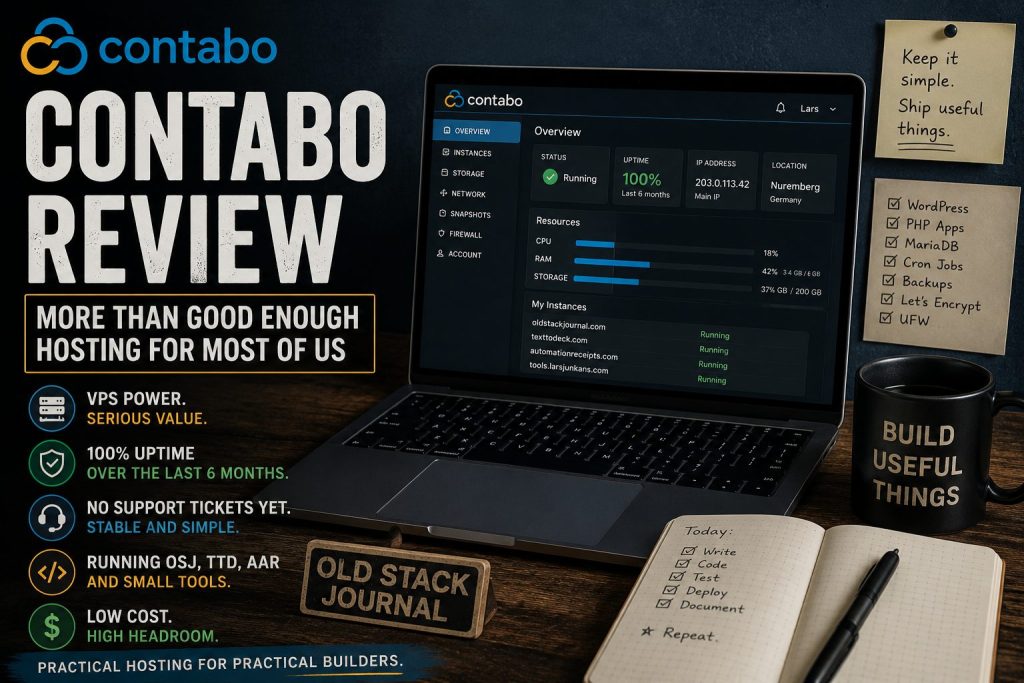
For a lot of us, the answer is yes, and in my own use it’s been excellent. I’ve had 100% uptime over the last six months, I haven’t needed support yet, and I like the simplicity of it. That’s probably the biggest thing for me. I can run OSJ, TTD, AAR, and my smaller tools from one place without turning hosting into another project I have to manage every week.
The Review Scores Are Better Than the Internet Vibe Suggests
Hosting reviews are always messy. Every provider has angry customers, glowing customers, affiliate reviews, old complaints, weird edge cases, and people who expect managed support from unmanaged infrastructure. You can find someone online calling almost any host the worst host they’ve ever used, and you can find someone else saying the same host has run their business for years without drama.
That’s why I wouldn’t make a decision from one Reddit thread or one five-star review. I’d rather look at the broad shape of the feedback, then compare it to the kind of workload I actually need to run. When I checked Trustpilot in July 2026, Contabo had a 4.5 out of 5 TrustScore across 9,814 reviews, with 76% five-star reviews and 12% one-star reviews. Trustpilot also said Contabo replies to 100% of negative reviews and typically replies within 24 hours. (nz.trustpilot.com)
The Trustpilot summary is pretty much what I’d expect for a budget VPS provider with lots of customers. People often praise the value for money, performance, stability, and support, while some customers mention slower support replies, inconsistent answers, occasional reliability problems, data-loss complaints connected to outstanding balances, or unexpected charges. That mix matters because it’s not a clean fairy tale, but it also isn’t the disaster story you sometimes see when people talk about cheap VPS providers online. (nz.trustpilot.com)
HostAdvice tells a similar story from a different angle. Its 2026 Contabo review shows a 4.1 overall rating based on expert ratings and 860 user reviews, with strong marks for pricing, features, user friendliness, support, and reliability. Again, that’s not “perfect host for everyone” territory, but it is very much “good value if you know what you’re doing” territory. (nz.hostadvice.com)
The Value Is the Point
The reason people keep talking about Contabo is not because the control panel is beautiful or because it gives you a polished managed hosting experience. People talk about it because the price-to-resource ratio is hard to ignore.
HostAdvice put it plainly in its review, pointing to the value of getting a lot of RAM, CPU, and storage for the money, while also noting that some gaps are real but manageable if you’re comfortable running your own server. It specifically mentions that you’ll need to set up monitoring yourself and that live chat may require patience, but still concludes that Contabo punches above its weight for the price. (nz.hostadvice.com)
That matches how I think about it. Contabo makes sense when you want enough server headroom to run normal things without obsessing over every tiny resource spike. A WordPress site, a custom PHP app, a private tool, a test project, a small SaaS MVP, an automation dashboard, or a couple of low-to-medium traffic projects don’t always need expensive cloud architecture. Sometimes they just need a VPS with enough RAM, enough disk, a public IP, root access, Apache or Nginx, PHP, a database, Let’s Encrypt, and some basic discipline.
That last part matters. Contabo isn’t a replacement for knowing how to run a server, and it’s not a babysitter. It’s a VPS provider. If you order an unmanaged VPS, you’re the person responsible for updates, firewall rules, backups, monitoring, logs, restore plans, and not pasting random commands into production because an AI assistant sounded confident.
For OSJ-style builders, that’s not necessarily a downside. It’s part of the job.
My Use Case Is Normal Web Stuff
Old Stack Journal itself fits the exact kind of use case I’m talking about. OSJ is a WordPress site running on a Contabo VPS with a fairly normal stack: Ubuntu, Apache, PHP, MariaDB, Let’s Encrypt, UFW, and the usual /var/www/<domain>/public setup. That’s not exotic. That’s the point.
I use Contabo for my hosting needs because most of what I build fits that same shape. OSJ is WordPress. TextToDeck is a web app. Automation Receipts is a small product with normal web app needs. Then there are the smaller tools, tests, admin panels, and odd ideas that need a place to live before they’re important enough to deserve their own dedicated setup.
A lot of modern hosting talk is shaped around teams building large, distributed, high-scale systems, or around beginners who want every single server detail hidden from them. Those are real markets, but there’s a large middle where many of us live. We can SSH into a server. We can edit Apache configs. We can install PHP extensions. We can set up Certbot. We can read logs. We can run backups. We can break something, swear at it, fix it, and write a note so we don’t break it the same way next time.
For that kind of user, a VPS like Contabo can be a practical place to run things. Not because it’s glamorous, but because it gives you a normal Linux box with enough resources to get on with the work.
That’s what I want most of the time. I don’t need a dashboard that tries to turn every project into a cloud architecture diagram. I need somewhere to put the app, point the domain, configure SSL, run the database, set up a cron job, and keep moving.
The Simplicity Matters
One thing I like about Contabo is that it stays fairly simple. That might sound like a small point, but it matters when you’re juggling multiple projects and trying not to turn every tool into another dashboard you have to learn.
I don’t want hosting that constantly nudges me toward a dozen extra services before I’ve even deployed the thing. I don’t want a cloud panel where I feel like I need a certification just to understand what I’m being billed for. I don’t want every small project to become an infrastructure decision.
With Contabo, the mental model is straightforward. I have a server. I can log into it. I can run the stack I want. I can put multiple projects on it if that makes sense. I can keep my costs predictable. That’s not the fanciest possible setup, but for most of my work it’s exactly what I need.
HostAdvice noticed something similar in its review, saying the Contabo interface covers the essentials without unnecessary complexity, while also pointing out that real-time resource monitoring is not built into the instance management page. That’s a fair tradeoff to understand before signing up. If you want graphs, alerts, dashboards, and deeper visibility, you’ll need to install or configure that yourself. (nz.hostadvice.com)
For me, that’s fine. I’d rather have a simple VPS and add the monitoring I actually need than pay extra for a platform that tries to solve problems I don’t have yet.
Where Contabo Makes Sense
Contabo makes the most sense when you’re comfortable being responsible for your own server and you care about keeping monthly costs down. If you’re running WordPress sites, small PHP apps, Laravel apps, internal dashboards, private tools, dev/staging environments, bots, automation panels, or content projects, it’s probably more than enough as long as you don’t treat it like managed hosting.
It’s also useful when you have several projects and don’t want each one to become another monthly SaaS-style bill. That’s a real thing for solo builders. One project needs hosting, another needs a staging server, another needs a database, another needs a test environment, and before long you’re paying a pile of small monthly fees before anything has made a dollar.
A decent VPS gives you room to experiment. You can put a few small projects on it, learn how the server actually works, and avoid turning every half-formed idea into a new paid platform account. That doesn’t mean you should cram everything important onto one box forever, but in the early stages it can be a sensible way to build without letting infrastructure costs get silly.
This is especially true for old-stack web work. PHP, MySQL or MariaDB, Apache, WordPress, cron, and a few simple scripts are still incredibly capable when you’re building normal web apps. You don’t need three managed cloud services and a deployment pipeline just to publish articles, run a private admin tool, or test a product idea.
Where I’d Be Careful
The part I wouldn’t ignore is reliability and support expectations. Cheap VPS hosting is not premium managed infrastructure, and people get into trouble when they buy one thing and expect another.
I’ve had 100% uptime over the last six months and haven’t needed support yet, which is exactly the kind of hosting experience I want: quiet, stable, and mostly invisible. But I wouldn’t turn my own good experience into a universal promise. Uptime can vary, support experiences can vary, and every host will eventually have something go wrong somewhere.
I’d also be careful if you need fast hand-holding. HostAdvice says Contabo is best suited to technically confident users because the servers are unmanaged, and beginners who need a lot of setup guidance may find it challenging without Linux or server admin experience. That’s a fair warning, not a small print detail. (nz.hostadvice.com)
If you want someone else to handle server security, updates, performance tuning, backups, migrations, malware cleanup, and WordPress-specific support, you probably want managed WordPress hosting or a managed VPS provider. It’ll cost more, but you’re paying for support and reduced responsibility, not just CPU and RAM.
The Support Question
I haven’t needed Contabo support yet, so I can’t pretend to have a personal support story. That’s actually a positive in its own way, because the best support ticket is the one you don’t need to open. Over the last six months, my hosting experience has mostly been logging in, running what I need, and getting on with the project.
That said, support is where hosting reviews often go sideways because expectations are all over the place. One person opens a clear ticket with logs, steps, and a specific question, then gets a helpful answer. Another person opens an urgent ticket with “site down, fix it” and expects the provider to debug their WordPress plugin conflict on an unmanaged VPS.
Those are not the same situation.
HostAdvice tested Contabo’s support ticket flow and reported getting a full response in 12 minutes to a server credentials question. Trustpilot’s summary also says many reviewers describe support as helpful and responsive, while some mention slow replies or inconsistent information. That’s probably the most useful version of the truth: support can be good, but you shouldn’t build your whole hosting plan around needing urgent provider help every time something gets weird. (nz.hostadvice.com)
My rule is simple. If I’m using a budget unmanaged VPS, I assume I need to be self-sufficient for normal server work. I’ll contact support for provider-side issues, billing, network problems, account questions, hardware or virtualisation issues, or anything I can reasonably show is outside my own config. I won’t expect them to teach me Linux, debug my app, fix my database schema, or clean up a mess I created by rushing a deploy.
That seems like a fair deal.
The Real Comparison Isn’t Always AWS or DigitalOcean
People often compare VPS providers as if everyone is choosing between Contabo, AWS, DigitalOcean, Hetzner, Linode, OVH, managed WordPress hosting, and a full cloud platform with a spreadsheet of tradeoffs. That’s fine if you’re making a formal infrastructure decision, but most solo builders are making a simpler choice.
They’re asking whether they can afford to run their projects without creating another annoying monthly bill. They’re asking whether they can host a few useful things, learn as they go, and avoid paying premium prices for a stack that mostly sits there serving PHP pages and database queries.
For that question, Contabo is competitive because it gives you a lot of resources for the price. It won’t be the right answer for every workload. If you need top-tier disk consistency, managed databases, global edge features, instant scaling, enterprise support, or a polished developer platform, you should probably look elsewhere. If you’re building a normal web project and you know how to run a Linux VPS, the calculation is very different.
I don’t need every project to start life on the fanciest possible infrastructure. I need enough reliability, enough resources, enough control, and enough cost discipline to keep building.
Who Should Use Contabo
I’d consider Contabo if you’re technically comfortable, cost-sensitive, and running normal web workloads. That includes WordPress sites, LAMP apps, private tools, small SaaS experiments, staging boxes, internal dashboards, simple automation services, test projects, or personal infrastructure where you want root access and room to move.
I’d also consider it if you’re learning server administration properly. There’s value in understanding how Apache or Nginx works, how PHP talks to the web server, where logs live, how Certbot renewals work, how UFW behaves, how cron jobs run, and how backups actually get restored. A VPS forces you to learn those things in a way a polished managed panel often hides.
That learning has a cost, but it’s not wasted time. If you’re building web projects for the long run, knowing your way around a Linux server is still useful.
Who Should Skip It
I’d skip Contabo if downtime would immediately cost you serious money, if you need very fast support, if you don’t want to touch Linux, if you don’t have your own backup plan, or if you’ll panic the first time SSH, DNS, SSL, Apache, PHP-FPM, MySQL, file permissions, or logs become your problem.
I’d also skip it if your app has outgrown “normal VPS” territory. That’s not an insult to Contabo. It’s just the point where you should be making a more deliberate infrastructure decision. If you need high availability, managed databases, automated failover, advanced observability, strict performance guarantees, or a team-supported deployment process, then you’re not really shopping for cheap VPS hosting anymore.
You’re shopping for a different kind of service.
My Take
My Contabo review is fairly simple: for most of us building normal web things, it’s more than suitable hosting if we treat it honestly.
It’s not magic. It’s not managed hosting. It’s not a perfect cloud platform. It’s a cost-effective VPS provider with strong value, plenty of resources for the money, mostly positive public review signals, and the usual rough edges you should expect when you’re paying budget VPS prices.
That’s enough for a lot of real work.
For my own hosting needs, it has been exactly what I wanted over the last six months. I’ve had 100% uptime, I haven’t had to contact support, and I’ve been able to run OSJ, TextToDeck, Automation Receipts, and smaller tools without hosting becoming the centre of my life. That’s a good result.
If you’re running WordPress, PHP apps, small tools, staging projects, automation dashboards, or early product experiments, Contabo can make a lot of sense. Just bring the habits that any serious builder should have anyway: backups, monitoring, updates, firewall rules, testing, and enough server knowledge to know when the problem is yours.
For my kind of work, that tradeoff is fine. I’d rather spend less on hosting, keep control of the box, and put the saved money and attention into building useful things.