In this article
Question: What should an n8n workflow record after it runs?
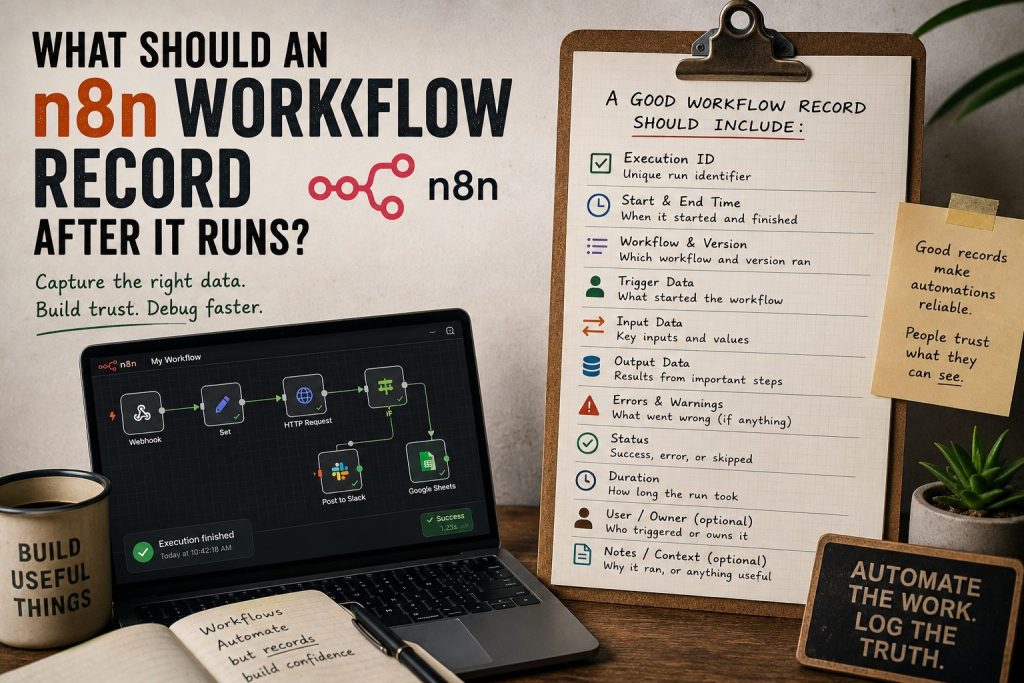
An n8n workflow should record enough information for a human to understand what happened later: the trigger, input summary, important decisions, output, errors, timestamps, review status, and the next action. The workflow log may help debug the run, but a readable receipt helps people trust and review the work.
The workflow running is not the whole job
It is easy to focus on getting an n8n workflow to run.
That makes sense. You connect the trigger, add the nodes, test the data, fix the mapping, and finally the workflow does the thing. The webhook fires. The API call works. The email sends. The draft gets created. Lovely.
But later, someone asks a different question:
What actually happened?
That is where a normal automation setup can feel thin. The execution log may contain the technical details, but it is not always the same as a human-readable record.
Logs are for debugging. Receipts are for understanding.
A log helps you debug a workflow. A receipt helps you understand a workflow run.
Those overlap, but they are not the same.
A log might show raw input, node data, response codes, stack traces, and timestamps. That is useful when something breaks. A receipt should be easier to read. It should answer the practical questions a builder, client, editor, or operator cares about.
For example:
- What triggered this run?
- What source data was used?
- What did the workflow decide?
- What changed?
- Did anything fail?
- Does this need review?
- Who approved it?
- What should happen next?
That is the thinking behind Automation Receipts. The point is not to replace n8n. The point is to leave a readable trail beside the automation.
What I’d record for a simple n8n workflow
For a normal workflow, I would start with these fields:
- workflow name
- run ID or external reference
- trigger type
- trigger time
- source system
- input summary
- main action taken
- output summary
- error status
- review status
- next action
- link to the created object, if any
That is enough for many workflows.
If the workflow creates a WordPress draft, the receipt should link to the draft and show the question, source signal, category, tags, and whether the draft is supposed to appear on the front page. If the workflow processes a form submission, it should show who submitted it, what category it falls into, and whether someone needs to respond.
The exact fields depend on the workflow. The habit is the important part.
Webhooks need receipts too
n8n’s Webhook node can trigger a workflow when external data arrives, and it can also return data generated by a workflow. That makes it very useful as a practical bridge between tools.
But webhooks can also become invisible glue. Something hits an endpoint, something else happens, and a week later nobody remembers why.
That is why webhook-based workflows are good candidates for receipts. The more invisible the trigger, the more useful the record.
This is especially true when AI is involved. If an AI step drafts copy, classifies a message, suggests a decision, or transforms data, the receipt should make that visible. Not because AI is scary by default, but because judgement and review need something to look at.
Don’t record everything forever
A receipt is not a data landfill.
Do not save secrets, full private payloads, tokens, passwords, or unnecessary personal data just because it is available. A good receipt is selective. It records what a human needs to understand the work without creating a new privacy or security problem.
For many workflows, an input summary is better than storing the full raw input. For sensitive workflows, the receipt might only point to the source system instead of copying the data.
The goal is accountability and review, not hoarding.
When a receipt is overkill
Not every automation needs a formal receipt.
If a workflow renames files in a private folder or sends a low-risk personal reminder, the normal logs may be enough. Do not build a receipt system for every tiny task just because it sounds neat.
Receipts become useful when:
- the workflow affects publishing, customers, money, or records
- a human needs to review the result
- multiple tools are involved
- the automation may run while you are away
- AI-generated output needs checking
- the same workflow will run many times
That is where a readable record earns its keep.
What I’d do next
If you already use n8n, pick one workflow and write the receipt you wish you had after it runs.
Do not start by building a whole system. Start with the questions someone would ask later. Then decide where the receipt should live: a database table, a WordPress draft note, a private admin page, an email summary, or a small custom app.
A workflow that runs is good. A workflow that can explain itself later is better.