In this article
- Quick verdict
- What is a custom GPT?
- Why bother?
- The real benefit is less repetition
- You can make ChatGPT fit one job properly
- You can give it reference files
- You get more consistent outputs
- It becomes a reusable workflow, not just a chat
- How to create a custom GPT
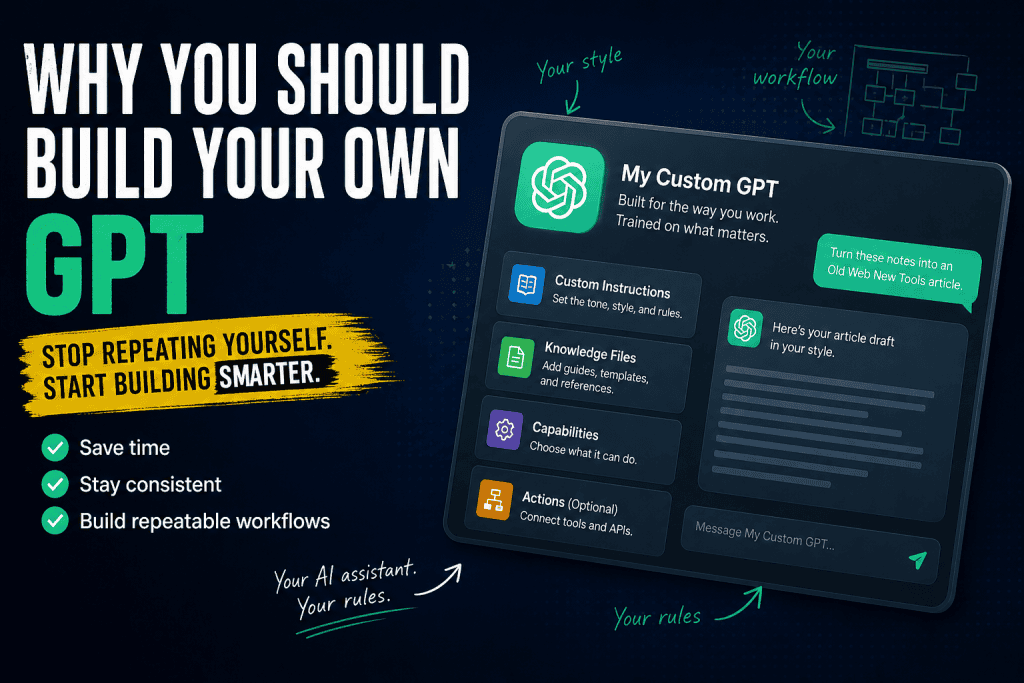
- The main parts of a GPT
- A useful instruction structure
- Give it examples, not just rules
- Make separate GPTs for separate jobs
- Custom GPTs vs custom instructions
- What to put in knowledge files
- Don’t upload everything
- Use capabilities carefully
- Test the GPT with real work
- Good GPTs are opinionated
- Example: an OSJ article GPT
- Example: a code project GPT
- Common mistakes
- A practical build process
- Keep a changelog
- Good prompts still matter
- Make the GPT do one stage at a time
- Why this matters for solo builders
- Why this matters for a content site
- The privacy and common-sense bit
- My practical view
- Final takeaway
Quick verdict
Custom GPTs aren’t magic, and they’re not a shortcut around thinking.
They’re useful because they let you turn a repeated workflow into something you can reuse, refine, and improve over time.
A normal ChatGPT chat is still great for one-off questions. But if you keep asking for the same kind of output, with the same tone rules, the same formatting rules, and the same “please don’t do this annoying thing again” instructions, a custom GPT starts to make a lot more sense.
The boring version is this:
A good custom GPT saves you from repeating yourself.
And honestly, that’s useful enough.
What is a custom GPT?
A custom GPT is basically a saved version of ChatGPT that has a specific job.
Instead of starting with a blank chat every time, you can create a GPT that already knows what you want it to do, how you want it to behave, what kind of output you expect, which reference files it should use, and which mistakes it should avoid.
OpenAI describes GPTs as custom versions of ChatGPT configured for a specific purpose. They can combine instructions, knowledge, and selected capabilities to create a more tailored experience inside ChatGPT.
That sounds more complicated than it needs to be, so here’s the practical version:
If you keep opening ChatGPT and typing the same setup prompt every day, a custom GPT is a way to stop doing that.
You might create one for writing articles in your website style, turning rough notes into blog posts, reviewing code patches, generating social snippets from long articles, checking content against a brand voice, helping with a specific app, or producing repeatable templates.
None of that is especially flashy.
It is exactly the kind of repeated work where custom GPTs earn their keep.
Why bother?
The biggest reason to use a custom GPT isn’t that it’s magically smarter.
It’s that it’s less blank.
A normal ChatGPT chat starts from nothing. You have to explain the task, your preferences, your project, your tone, your formatting rules, and all the little traps you’ve already learned the hard way.
If you’re writing for a specific site, that might mean explaining that the article should be casual but useful, not too AI-sounding, practical for solo builders, formatted for WordPress, and free from all the usual corporate filler.
A custom GPT lets you bake those rules in so they become the default behaviour.
Instead of typing out a giant list of instructions before the real work begins, you open the GPT and start much closer to the output you actually want.
That’s the useful bit.
You’re not making ChatGPT omniscient. You’re just removing the repetitive setup work that usually sits between your idea and a decent first draft.
The real benefit is less repetition
If you use ChatGPT regularly, you probably have a few instructions you type over and over again.
You might keep saying things like:
- use Markdown
- write casually
- don’t sound like a corporate blog
- give me full replacement files, not diffs
- ask fewer questions and make a best guess
- use my article style
- don’t make every sentence three words long
- give me something practical I can paste into WordPress
There’s nothing wrong with those instructions.
The problem is having to repeat them every time.
A custom GPT turns those repeated preferences into the normal starting point. It means you spend less time setting the scene and more time doing the actual work, whether that work is writing, coding, reviewing, planning, or turning messy notes into something usable.
That’s not glamorous.
It’s just practical. Which is usually better.
You can make ChatGPT fit one job properly
General ChatGPT is flexible, but that flexibility is also part of the problem.
It can write an article, debug code, brainstorm product ideas, explain a legal concept, generate a recipe, and roleplay a pirate if you ask it to.
That’s useful, but it also means every new chat starts fairly broad.
A custom GPT can be narrow. That can be good too.
You might have one GPT for Old Stack Journal article writing, another for tool reviews, another for WordPress theme work, another for EVE Profit Routes development, another for social media snippets, and another for code review.
Each one can have its own job, tone, rules, and reference files.
The article-writing GPT should care about tone, structure, examples, WordPress formatting, and avoiding AI-ish writing.
The code GPT should care about file paths, full replacement files, testing steps, and not inventing project structure.
The social GPT should care about hooks, short posts, platform limits, and linking back to the site.
Trying to make one mega-GPT do everything usually gets messy. It sounds convenient at first, but the rules start fighting each other.
Better to make a few focused ones that each know what they’re for.
You can give it reference files
This is where custom GPTs become much more useful.
You can upload knowledge files such as a writing style guide, brand voice guide, article template, project notes, technical architecture notes, examples of good posts, examples of bad posts, product positioning docs, checklists, reusable HTML blocks, or prompt libraries.
For a website like Old Stack Journal, that matters because the GPT can use the house style without you pasting the whole style guide into every chat.
It can know that the writing should be practical, casual, no-hype, builder-minded, and formatted in a way that works for WordPress.
For a coding GPT, the same idea applies in a different way.
Instead of repeatedly explaining your app structure, patch rules, server setup, database notes, deployment workflow, and known gotchas, you can give the GPT clean reference files and let those become part of how it works.
The important word there is clean.
A GPT with five focused files will usually behave better than one with fifty messy files full of stale notes, contradictions, and random chat logs.
Ask me how I know. Actually, don’t. It involves folders.
You get more consistent outputs
Consistency is one of the hardest things with normal ChatGPT.
One day it writes in a useful style. The next day it sounds like a motivational LinkedIn post. The day after that it decides your simple article needs “In today’s fast-paced digital landscape…” and now you’re spending your editing time removing the same nonsense again.
A custom GPT helps reduce that randomness.
It still won’t be perfect, but it gives the model stronger rails.
That matters when you’re building a content site, because the reader shouldn’t feel like every article was written by a different robot.
The structure, tone, formatting, section order, article length, HTML blocks, naming conventions, and “what to avoid” rules should feel consistent enough that the site has a recognisable style.
This is also useful for code.
If you want full replacement files, testing steps, file path clarity, and no invented framework assumptions, those rules can live inside the GPT instead of being retyped every time you need a patch.
It becomes a reusable workflow, not just a chat
The bigger mental shift is that a custom GPT is not just “a chatbot with a name”.
At its best, it becomes a small workflow machine.
For example, a Tool Test GPT might take rough notes, infer the tool name and category, create a verdict box, write the article in your style, add practical examples, create a WordPress excerpt, suggest social snippets, avoid overhyping the tool, and flag missing real-world testing details.
That’s much better than asking from scratch each time because the process itself is partly built into the GPT.
You’re not replacing judgement.
You’re removing the repeated setup work around the judgement.
That distinction matters. A custom GPT can help you move faster, but it still needs someone steering it. It still needs a human who knows what “good” means, what should be fact-checked, what should be removed, and what should never be published.
The GPT can help with the workflow.
It cannot care about the work for you.
How to create a custom GPT
The exact interface may change over time, but the rough process is simple.
You open ChatGPT on the web, go to the GPTs area, choose to create a GPT, then build it conversationally or configure it manually in the editor.
From there, you add instructions, add knowledge files if they’re useful, enable only the capabilities the GPT actually needs, test it in the preview area, save it, and keep improving it when you notice bad outputs.
OpenAI’s current help docs describe GPT creation and editing as something handled through the ChatGPT web experience, with GPTs managed from the GPTs area. The editor lets you create, configure, test, and manage GPTs, including instructions, knowledge, capabilities, apps, actions, and version history.
The main thing is not to treat the first version as finished.
Treat it like a small tool you’ll keep tuning.
Because that’s what it is.
The main parts of a GPT
A GPT has a few important parts, and none of them need to be fancy.
The name should be obvious and boring. “OSJ Article Builder” is better than “Super Writer Pro” because it tells you exactly what the thing is for. “WordPress Theme Patch Helper” is better than “AI Assistant 3000” for the same reason.
A good name is not there to impress anyone. It’s there to stop you choosing the wrong GPT later.
The description is just the short explanation of what the GPT does.
Something like this is good enough:
Turns rough notes into practical Old Stack Journal articles using the site’s casual, useful, non-corporate writing style.
The instructions are the important part.
This is where you explain the GPT’s role, purpose, tone, output format, things to always do, things to avoid, assumptions it can make, questions it should ask, and examples of good output.
A weak instruction says:
Help me write blog posts.
A better instruction says:
You help write articles for Old Stack Journal, a practical site for solo builders using AI tools, web tech, small apps, and old-web thinking. The tone should be casual, useful, honest, and based on real experience. Avoid corporate phrasing, hype, tiny dramatic sentences, fake certainty, and generic AI filler. Prefer clear paragraphs, practical examples, and WordPress-ready formatting.
That gives the GPT something to work with.
It doesn’t guarantee perfect output, but it gives the model a clearer target.
A useful instruction structure
A good instruction file doesn’t need to be huge.
It just needs to be clear.
You want to tell the GPT what it’s for, who it’s helping, how it should sound, how it should format output, and what it should avoid.
Here’s a simple structure you could adapt:
Purpose:
This GPT helps create practical content for Old Stack Journal.

Audience:
Solo builders, solopreneurs, hobby developers, small website owners, practical AI users, and people building small things on the web.

Tone:
Casual, useful, honest, slightly opinionated, not corporate, not hype-driven.

Writing rules:
Use contractions naturally.
Avoid stiff phrases like "do not" unless needed.
Avoid lots of short dramatic sentences.
Prefer paragraphs that sound like a real person explaining something.
Do not over-polish the user’s rough notes into generic content.

Output rules:
Use headings.
Use Markdown unless asked otherwise.
When writing Tool Test articles, include the verdict-box HTML format.
When writing WordPress excerpts, keep them short and plain.

Avoid:
"In today's fast-paced world..."
"Game-changer"
"Revolutionary"
"Unlock the power of..."
Fake certainty.
Fake personal experience.
Overly neat consultant-style frameworks.

When unsure:
Make a sensible assumption and keep moving, unless the missing detail would change the whole answer.
That kind of instruction is much more useful than a vague “be helpful”.
It gives the GPT an actual job, a real audience, and a set of boundaries.
Give it examples, not just rules
Instructions help, but examples often help more.
If you’re building a writing GPT, don’t just say “write like me”.
Upload one article you like, one article you rewrote because it sounded too AI-generated, your style guide, a template post, examples of intros you like, examples of verdict boxes, and examples of excerpts.
If you’re building a coding GPT, give it project structure notes, patch rules, deployment notes, examples of previous successful patches, “do not do this” notes, database notes, and known gotchas.
The reason is simple: examples show the difference between a rule and a real output.
A style guide can say “write casually”, but an example shows what casual actually means for your site.
A patch rule can say “return full replacement files”, but a previous successful patch shows the format you expect.
Show it what good looks like.
Not in a mystical creative sense. In a boring practical sense.
Boring practical senses are underrated.
Make separate GPTs for separate jobs
One common mistake is creating a GPT called “My Assistant” and loading everything into it.
That sounds convenient, but it usually gets blurry.
It’s better to create focused GPTs for focused jobs.
You could have an OSJ Article Builder for long-form website content, an OSJ Tool Test Writer for reviews with verdict boxes, an OSJ Social Repurposer for turning articles into platform-specific posts, a WordPress Theme Helper for PHP templates and CSS, and an EVE Profit Routes Dev Assistant for that specific app, server setup, file replacement workflow, and product direction.
Each one has a job.
Each one can be tighter.
The goal is not to create an empire of bots for the sake of it. The goal is to stop one set of instructions from interfering with another.
Your article GPT shouldn’t need to know every detail of your server setup, and your coding GPT doesn’t need to care about Instagram hooks.
Keep the workbenches separate.
Your future self will thank you, probably while pretending this was obvious all along.
Custom GPTs vs custom instructions
Custom instructions and custom GPTs are related, but they’re not the same thing.
Custom instructions affect your broader ChatGPT experience. They’re better for broad preferences, such as:
- use New Zealand English
- prefer practical answers
- don’t over-explain basic setup unless I ask
- use Markdown
- keep things direct
A custom GPT is more like a reusable specialist. It has its own instructions and setup for a specific purpose.
So custom GPTs are better for specific workflows, such as:
- write OSJ articles
- generate WordPress-ready Tool Tests
- help patch this PHP app
- turn notes into newsletter drafts
- review drafts for AI-sounding bits
In other words, custom instructions are your general preferences.
Custom GPTs are your specialist workbenches.
What to put in knowledge files
Good knowledge files are stable, reusable, specific, well-structured, and not full of unrelated junk.
Bad knowledge files are messy chat logs, huge dumps of stale notes, mixed project notes from ten different things, old instructions that contradict new instructions, private secrets, API keys, passwords, database credentials, or anything you would regret uploading.
For an article-writing GPT, useful files might include:
article-writing-style-guide.txt
osj-brand-voice.md
tool-test-template.md
example-good-article.md
bad-ai-writing-patterns.md
wordpress-formatting-rules.md
For a coding GPT, useful files might include:
project-overview.md
server-setup.md
file-replacement-rules.md
database-schema-notes.md
deployment-workflow.md
known-bugs-and-gotchas.md
The cleaner the files are, the better the GPT behaves.
If your files contradict each other, the GPT may follow the wrong rule at the wrong time, which is exactly the kind of problem you were trying to avoid.
This is why a little boring housekeeping pays off.
Annoying, yes. Useful, also yes.
Don’t upload everything
More context is not always better.
A GPT with five focused files often works better than a GPT with fifty messy files. If the GPT has to dig through piles of unrelated notes, it can start pulling in the wrong thing or mixing workflows that should be kept separate.
Start small.
Test it.
Add one file at a time.
Remove stale files.
Keep docs current.
Split different workflows into different GPTs when the job starts to get too broad.
A custom GPT should feel like a tidy workbench, not a garage full of boxes you keep meaning to sort.
Use capabilities carefully
Depending on what’s available in your plan or workspace, GPTs can be configured with different capabilities, apps, and in some cases actions that connect to external APIs.
OpenAI’s help docs describe actions as a way to connect a GPT to external APIs using API details, authentication, schemas, and workspace rules. The docs also note that a GPT can use either apps or actions, but not both at the same time.
That does not mean you should enable everything just because it exists.
Ask whether this GPT actually needs web access, image generation, code or data analysis, actions, apps, or access to files.
Also ask whether enabling those things will make the GPT more useful or just more unpredictable.
For a writing-style GPT, you might only need instructions and knowledge.
For a tool-review GPT, web access may be useful because tools, pricing, and features change over time.
For a private project GPT, uploaded knowledge may be enough.
For an automation or API workflow GPT, actions can be useful, but they need more care because you’re no longer just generating text. You’re connecting the GPT to systems that can fetch data, send requests, or interact with external services, so testing and permissions matter much more.
The more a GPT can do, the more boring your safety thinking needs to be.
Deeply unfair, but there it is.
Test the GPT with real work
Don’t trust the first version.
Test it like you would test a small app.
Give it real prompts, not toy prompts. Ask it to turn rough notes into an OSJ article, create a Tool Verdict block for a review, rewrite a paragraph so it sounds less AI-generated, create a WordPress excerpt, or review a rough article against your style guide.
Then look for patterns.
Does it overuse short sentences? Does it sound too polished? Does it invent details? Does it ignore the template? Does it ask too many questions? Does it produce content that is too long? Does it forget formatting rules? Does it use phrases you hate?
Every time it does something annoying, update the instructions.
That is the real process.
Build, test, adjust, repeat.
Same as any other small tool, except this one occasionally says “certainly” at you like it’s wearing a blazer.
Good GPTs are opinionated
A useful GPT should not be completely neutral about everything.
Your OSJ article GPT should understand that hype is bad, practical examples matter, boring systems are often good, solo builders need realistic advice, AI tools need supervision, not every tool deserves excitement, the website is the central hub, and posts should be useful even if the reader never buys anything.
That kind of opinion makes the GPT more useful because it gives the output a point of view.
Generic GPTs produce generic content.
Opinionated GPTs produce content that feels like it belongs somewhere.
That doesn’t mean the GPT should be rude, narrow-minded, or blindly repetitive. It means it should know the values of the thing it is helping you create.
Without that, it will drift back toward safe, shiny, vaguely helpful sludge.
Nobody needs more sludge.
Example: an OSJ article GPT
An Old Stack Journal article GPT could have a simple purpose:
Turn rough notes into articles for Old Stack Journal.
That GPT should understand that OSJ is about practical AI tools, small web projects, workflows, old-web thinking, and solo builder experiments.
It should know that the writing should feel like a real person explaining what they learned, not a brand trying to sound innovative.
It should preserve the user’s point of view, avoid fake authority, avoid pretending to have used a tool unless the notes say so, and produce WordPress-friendly output.
Useful commands might be:
Turn these notes into an article.

Rewrite this so it sounds more like me.

Create a post excerpt.

Create a TL;DR box in HTML.

Make this less corporate.

Find the weak sections in this draft.
That GPT doesn’t need to do everything.
It just needs to handle one repeatable publishing workflow well.
Example: a code project GPT
A code project GPT should be much narrower.
Its purpose might be:
Help safely patch a specific small PHP/MySQL app.
That GPT should know the project structure, server setup, local workflow, file replacement rules, user preference for full files, database details without secrets, how patches are applied, how updates are logged, and what not to touch.
Useful rules might look like this:
Always ask for or use the latest provided code before creating patches.
Return full replacement files unless the user asks otherwise.
Do not invent missing files.
Do not assume a framework if the app is plain PHP.
Preserve existing style.
Mark modified sections clearly when returning inline edits.
Include testing steps.
That turns the GPT from a generic coding helper into something that understands how the project is actually worked on.
It still won’t be perfect, and it still needs review, but it starts from a much better place.
Common mistakes
The first big mistake is making the GPT too broad.
“My everything assistant” sounds useful, but it usually becomes vague. A focused GPT is easier to test, easier to improve, and less likely to mix unrelated rules together.
The second mistake is writing vague instructions.
“Be helpful and write good articles” doesn’t give the GPT enough direction.
This is better:
Write practical, casual, WordPress-ready articles for Old Stack Journal. Avoid hype, corporate phrasing, fake certainty, and overly short dramatic sentences. Preserve the user’s rough point of view and expand it into useful paragraphs.
The third mistake is uploading messy reference files.
If the knowledge files are stale, contradictory, or full of unrelated material, the GPT will be messy too. Clean the docs first.
Another mistake is expecting it to be perfect.
A custom GPT is not a magic employee. It’s more like a reusable prompt system with instructions, files, and settings.
You still need to review the output, especially for technical advice, code changes, public claims, legal or financial topics, and anything involving current tools or pricing.
The final mistake is not updating it.
You’ll discover missing rules by using it. When it does something wrong, don’t just fix the output.
Fix the GPT.
A practical build process
Start by picking one repeated workflow.
Don’t begin with “I want an assistant.”
Start with something narrower, like:
I want a GPT that turns my rough notes into OSJ articles.
or:
I want a GPT that creates WordPress excerpts and social posts from finished articles.
Next, write the job description.
What does this GPT do? Who is it for? What should it produce? What should it avoid? What examples should it follow? What should it ask before starting? What can it assume?
Then add reference files, but start small.
Two to five good files are usually enough for a first version. A brand voice guide, article style guide, tool test template, example article, and WordPress formatting rules will probably teach the GPT more than a giant folder of random notes.
After that, test it with real prompts.
Paste messy notes and ask for an article. Paste a bad AI paragraph and ask it to rewrite it. Paste a finished article and ask for excerpts and social snippets.
The failures will tell you what to improve.
Then update the instructions based on actual problems.
For example:
Do not use phrases like “That is the appeal” as standalone dramatic sentences. Fold those thoughts into normal paragraphs unless the user specifically asks for punchy copy.
That is much better than a generic rule like “write naturally”, because it points to a specific behaviour you want to fix.
Keep a changelog
This sounds excessive, but it helps.
Track what files were added, what instructions changed, what bad behaviour was fixed, what examples were added, what the GPT is currently good at, and what it still gets wrong.
That turns the GPT itself into a small maintained tool.
It also saves you from forgetting why a rule exists, which is a very real problem once you’ve tweaked the instructions ten different times.
Future-you will still be confused, obviously.
But at least future-you will have notes.
Good prompts still matter
Even with a custom GPT, the prompt still matters.
The GPT has the background rules, but your prompt tells it what job to do right now.
Good prompts are clear without being huge:
Here are my rough notes. Turn them into an OSJ article. Keep my point of view, expand the useful parts, and don’t make it sound like a corporate blog.

Use the Tool Test format. Create the verdict box first, then the article.

Rewrite this draft so it sounds more casual and less AI-generated. Keep the meaning but improve the flow.

Create a WordPress excerpt under 35 words.

Before rewriting this, tell me the 5 biggest problems with it.

Turn this into notes I can later expand into a full article.
For code, you might use prompts like:
Review this file against the project rules. Don’t patch yet. Tell me what you think needs changing.

Return the full replacement file only.

Create a small, safe patch and include exact test steps.
The point is not to write giant prompts forever.
The point is to give the GPT the task-specific information it still needs.
Make the GPT do one stage at a time
A custom GPT can do a lot in one go, but that doesn’t mean it always should.
For content, the workflow might move from rough notes to outline, then draft, then rewrite, then excerpt, then social snippets, then featured image prompt.
You can ask for all of that at once, but the result may be weaker because the GPT is trying to do too many different jobs in one pass.
Often it works better to move in stages:
First, turn these into structured notes.Then:
Now turn the notes into a full article.Then:
Now create the excerpt and social snippets.That keeps the work focused.
It also gives you a chance to correct the direction before the GPT builds too much on a weak first pass.
This is not glamorous productivity hacking.
It is just avoiding avoidable mess.
Which, sadly, is most of the job.
Why this matters for solo builders
Custom GPTs are especially useful for solo builders because solo builders repeat themselves constantly.
They’re not just writing.
They’re planning, coding, testing, documenting, publishing, fixing bugs, writing posts, making social updates, tracking project decisions, and trying to remember why something was done three weeks ago.
A custom GPT can act like a reusable assistant for one part of that mess.
Not a replacement for knowing what you’re doing, and definitely not a magic business machine.
More like a way to stop retyping the same operating procedure every day.
That’s a very solo-builder kind of tool.
Not glamorous, but genuinely practical.
Why this matters for a content site
For a site like Old Stack Journal, custom GPTs can become part of the publishing workflow.
You might have:
- an Article Notes Expander that turns rough thinking into structured notes
- an OSJ Article Writer that turns notes into full website posts
- a Tool Test Formatter that creates verdict boxes and review structure
- an AI Slop Detector that reviews drafts and points out generic AI writing
- a Social Snippet Generator that turns posts into platform-specific snippets
- a WordPress Formatting Helper that converts drafts into paste-friendly Markdown
- a Featured Image Prompt Builder that creates image prompts matching the site’s visual style
The value is not that each GPT does something impossible.
The value is that each one does a repeated job with less friction.
That’s the whole theme here:
Less setup. Less drift. Less re-explaining. More reusable workflow.
Boring? Yes.
Useful? Also yes.
The privacy and common-sense bit
Don’t upload secrets.
Don’t upload passwords, API keys, private tokens, full .env files, production credentials, customer data, or anything sensitive you don’t actually need the GPT to know.
For project docs, describe the setup without including secrets.
For example:
Database: MySQL
App root: /var/www/eve
Public root: /var/www/eve/public
Environment file exists but should never be included in patches or uploaded.
That gives the GPT useful context without handing it private credentials.
This is especially important for coding and automation GPTs. The more powerful the workflow, the more carefully you should think about what it can access.
You don’t need to be paranoid.
You do need to be sensible.
Which is less dramatic, but more useful.
My practical view
Custom GPTs aren’t amazing in the flashy AI-demo sense.
They’re actually pretty boring.
That’s the whole point.
Think of a good custom GPT like a reusable workbench. Your tools are already laid out, your notes are pinned to the wall, your preferred process is written down, and the common mistakes are marked in red so you don’t keep repeating them.
If you just have a random one-off question, normal ChatGPT is totally fine.
But for work you do over and over again, a custom GPT can save a lot of time and reduce drift. It keeps the output closer to your style, your structure, and your way of working.
It’s not exciting in the demo sense.
It is useful in the daily-work sense.
That’s the version of AI I trust more anyway.
Final takeaway
The best custom GPT is not the one with the fanciest name or the longest instruction file.
It’s the one you actually reuse.
If it saves you from typing the same setup prompt every day, keeps your output closer to your house style, and helps you move from rough notes to useful work faster, then it’s doing its job.
That’s not magic.
That’s just a better workflow.