In this article
- What is Vizibly?
- Image housekeeping is exactly the sort of job that gets ignored
- The dashboard doesn’t try to impress me with 300 numbers
- The website crawler is simple enough to use without reading a manual
- I wouldn’t chase the score for the sake of the score
- The individual image workflow is probably my favourite part
- The generated SEO metadata is something I’d actually use
- The GEO output is deliberately different
- I like that Vizibly doesn’t pretend GEO guarantees anything
- Compare is more useful now that I’ve actually populated it
- History makes the product feel like a workflow instead of a demo
- The pricing feels about right for the size of the problem
- What I particularly like
- What I’d still keep an eye on
- Who I think Vizibly is for
- Who can probably skip it
- Is Vizibly worth it?
Question: Is Vizibly worth using for image SEO and GEO?
Yes, I think Vizibly is worth using if your site has enough images that keeping track of alt text, filenames, compression and structured metadata has started to become a chore. I’ve used the whole app and I like it a lot, but the main reason isn’t that it has AI or a GEO score on the dashboard. It’s because the workflow is focused, easy to understand, and actually takes a slightly annoying website-maintenance job and puts the useful parts in one place.
The website crawler finds images and tells you where the weak spots are. The image optimizer generates metadata with page context rather than simply guessing from the pixels. History keeps the work around, and Compare lets you see whether anything has actually changed between crawls. There are separate SEO and GEO tracks, but you don’t have to buy into every prediction about AI search for the product to be useful.
That last bit is important. I’d treat the GEO side as an interesting extra layer rather than a promise that ChatGPT is suddenly going to fall in love with your product screenshots. The normal image SEO work is practical enough on its own.
What is Vizibly?
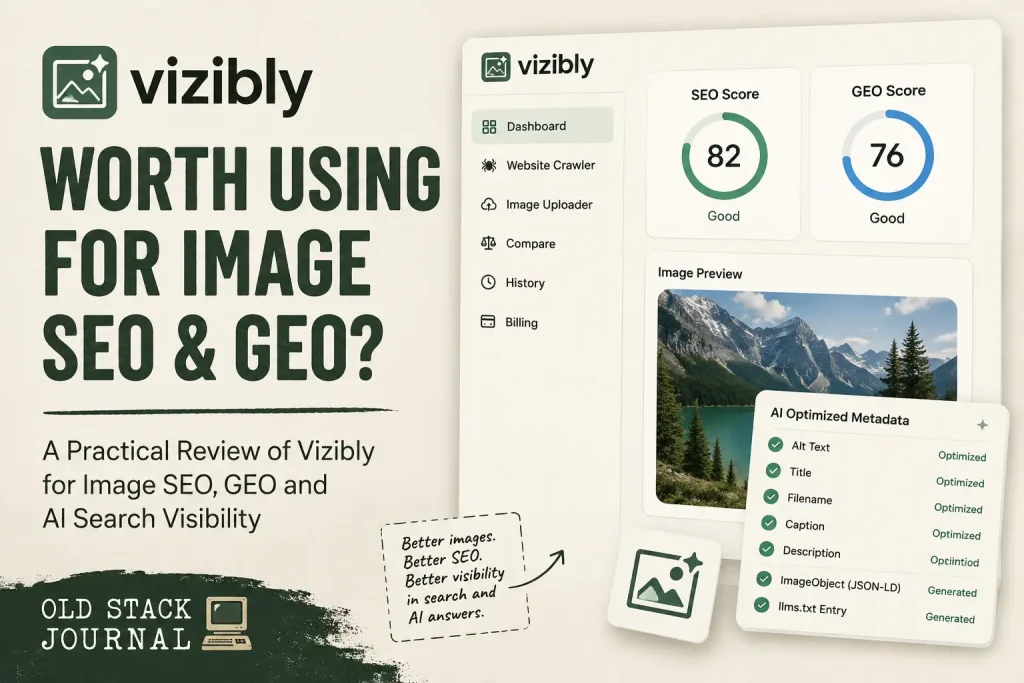
Vizibly is a fairly narrow image SEO and GEO tool. You can paste in a website URL and crawl the site for images, or upload an individual image and optimize it separately. Images get SEO and GEO scores, issues are called out, and the optimiser can generate alt text, titles, captions, descriptions, filenames, ImageObject JSON-LD and an llms.txt entry.
I was using Vizibly on the free plan, which gives you 3 site audits and 3 image optimisations each month. That’s enough to get a proper feel for the crawler and try the optimisation workflow on a real site, but it’s obviously aimed at testing rather than working through a large image library. If you need to use it regularly, the paid plans increase those limits quite a bit.
You can also upload JPEG, PNG, WebP and GIF images directly, and the uploader has a simple four-step process: select the image, add context, let Vizibly optimize it, then review the results. WebP compression is part of the workflow as well.
I think the narrow scope helps the product. There are already enough SEO tools that want to become your analytics suite, keyword database, site crawler, content planner, competitor monitor and general source of mild anxiety. Vizibly mostly wants to sort out your images.
Image housekeeping is exactly the sort of job that gets ignored
I know how image mess accumulates because I do it myself. You’re finishing a post, you need to get the thing published, and suddenly spending another few minutes renaming a screenshot, checking its alt text and thinking about structured metadata feels less important than moving on.
Do that occasionally and it isn’t a problem. Do it across a site for a few years and you end up with a media library full of filenames that only made sense on the laptop they came from, screenshots whose descriptions are vague or missing, and images that are carrying far less useful context than they could be.
This isn’t just an invented problem to justify another AI subscription. Google’s current image guidance still recommends descriptive filenames and says alt text helps it understand both the subject of an image and its relationship with the surrounding page. It also warns against stuffing the alt attribute with keywords, which becomes particularly relevant when AI is helping write the thing.
There’s an accessibility reason to care about before SEO even enters the room. WebAIM’s 2026 Million study found missing alternative text on 53.1% of the one million home pages it tested. Looking at individual images, it found that more than one in four had missing, questionable or repetitive alternative text.
So there’s plenty of useful work here without inventing a new search revolution. Better descriptions, sensible filenames and a cleaner image layer are worthwhile whether the visitor is a person, a traditional search crawler or some newer machine trying to understand what a page contains.
The dashboard doesn’t try to impress me with 300 numbers
One of the things I like most about Vizibly is how little explaining the member area needs. The main navigation is Dashboard, Website Crawler, Image Uploader, Compare, History and Billing, and that’s basically the product.
The dashboard gives you total crawls, the number of images you’ve optimized, an average SEO score and data saved. Under that are clear shortcuts to scan a website, upload an image or browse your history. There’s also a usage panel showing exactly how many audits and image optimizations you’ve used during the month.
In my free account, that usage meter was sitting right there rather than hiding on some account page I’d only discover after hitting a limit. That’s a small thing, but usage-based products are much less irritating when they tell you plainly where you stand.
The interface comes in light and dark flavours and generally stays out of the way. I’m not going to award extra points to an SEO tool for having dark mode, but both versions are tidy and the visual design has some personality without turning into another neon AI cockpit.
The website crawler is simple enough to use without reading a manual
The Website Crawler starts with a URL field and a Scan site button. Vizibly uses the URL to discover images, score them and return an audit showing what it found.
I tested it against SearchTriage. The fresh crawl showed that Vizibly had crawled 10 of 59 pages and clearly labelled the result as partial because it had reached its page or time limit. I actually like seeing that stated openly. A tool telling me what it didn’t inspect is much more useful than presenting a partial result as though it has magically seen the entire site.
That crawl found two images and gave the site an overall score of 73. (I should have picked a more image heavy site:) It reported 0% missing alt text and 0% completely missing GEO data, but the individual image results were more interesting than the headline numbers.
One image was the small Powered by Stripe SVG. Vizibly scored that at SEO 70 and GEO 30, with the alt text labelled weak and GEO labelled partial. The other was a SearchTriage performance graph, which scored SEO 75 and GEO 30. Its existing alt text was considered good while GEO was still only partial.
That distinction is useful because the product isn’t simply declaring that every image is terrible so you’ll click Optimize. An image can be decent from a normal SEO point of view while still lacking some of the extra machine-readable material Vizibly uses for its GEO score.
You can also sort the audit by SEO or GEO score and expand individual images to see the issues before deciding whether they’re worth changing. That’s how I want a scoring system to work: use the number to find the thing that needs attention, then look at the actual issue.
I wouldn’t chase the score for the sake of the score
SEO tools have trained us to enjoy turning numbers green, sometimes long after we’ve forgotten why we were doing it(thganks Google Page Speed). Vizibly’s scores are useful, but I wouldn’t turn 100/100 into the objective.
The SearchTriage graph is a good example. Its original alt text was already useful: it described a SearchTriage search-performance graph showing clicks, impressions, CTR and position over 90 days. Vizibly gave that image an SEO score of 75 rather than treating it as broken.
What the optimizer then adds is the rest of the metadata layer. That makes the score a decent triage mechanism, but the actual output matters more to me than whether the number moves from 75 to 92 or 97.
Vizibly says its scores are explainable, and the audit screens do a reasonable job of surfacing the things being checked. The Compare screen makes the underlying model clearer because it exposes metrics such as alt-text coverage, ImageObject schema, modern image-format adoption, descriptive filenames and llms.txt alongside the headline SEO and GEO scores.
That’s much more useful than giving me an unexplained number and asking me to trust it.
The individual image workflow is probably my favourite part
You don’t need to crawl an entire site before Vizibly becomes useful. The Image Uploader takes one image through a four-step flow, and that’s a nice fit when you’re working on something new rather than cleaning up an existing website.
The clever bit is the Add context step. Vizibly doesn’t only throw the image at a vision model and ask, “What do you reckon this is?” It lets you supply a page URL, brand name, industry and target keywords before generating the metadata.
For my Old Stack Journal test, I supplied the OSJ page, the Old Stack Journal brand, some context around blogging, SaaS, AI, building in public and vibe coding, and a few target terms related to the article.
Those fields are optional, which is how it should be. Sometimes the pixels are enough and you want to move quickly. For an important article, landing page or product image, the surrounding context can tell the model what the picture is actually doing there.
That matters because recognising an image and understanding its role on a page aren’t quite the same job. A vision model might correctly identify a line graph, but the surrounding page tells it whether that graph is showing Search Console traffic, sales, server load, customer growth or something completely different.
This is a small design decision that makes the AI part feel more useful to me. The tool is asking for the missing context rather than pretending image recognition knows everything.
The generated SEO metadata is something I’d actually use
The successful optimisation on the SearchTriage graph gave me a much better look at what Vizibly produces in practice.
The original image was already doing okay. It was a 75 KB PNG with an SEO score of 75 and a GEO score of 30, and its existing alt text was considered good.
After running the optimiser, Vizibly split the result into an SEO track and a GEO track. The SEO alt text became: “Search performance graph showing 90-day growth in clicks, impressions, CTR, and average position.”
That’s perfectly sensible. It tells you what the image is, says what period it covers and describes the actual metrics without turning into a paragraph.
It also generated the title “90-Day Search Performance Graph and SEO Metrics,” along with a caption describing the line graph and the growth shown across clicks, impressions, CTR and average position. There’s a longer description as well, and every visible field has a copy control.
This is the sort of AI generation I find easy to justify. I’m not handing editorial judgement over to a model. I’m getting a decent first pass on a group of small metadata jobs I probably wasn’t excited about writing individually in the first place.
I’d still read every field before using it. Alt text has an accessibility job as well as a search job, and AI can still be too wordy, overly confident or a little too keen to use whatever keywords you handed it. Google itself recommends writing useful, contextual alt text rather than filling the attribute with keywords.
The output I got from Vizibly didn’t feel stuffed, though. The normal SEO version reads like something I could comfortably put on a real page with little or no editing.
The GEO output is deliberately different
The GEO track makes the product more interesting because it isn’t just copying the same alt text into another box and changing the label.
For the same SearchTriage graph, Vizibly generated a more entity-heavy description referring to a 90-day Search Performance report, Click-Through Rate, Search Engine Optimisation trends and Google Search Console. It also created an llms.txt entry that summarized what the graph represents and listed relevant entities.
That wording is noticeably more machine-oriented than the normal SEO alt text. I think that’s a good distinction to understand if you’re testing Vizibly, because the two tracks are trying to solve slightly different problems.
The ordinary alt text still has to make sense as useful page metadata. The GEO output is more concerned with explicit entities and context that a machine might be able to parse.
Whether every AI answer engine will care about all of that is a different question.
I like that Vizibly doesn’t pretend GEO guarantees anything
I’ve already written about whether GEO is really just SEO with AI search added, and Vizibly fits quite nicely with how I’ve ended up thinking about the whole subject.
Do the normal web work first. Make the page useful, crawlable and understandable, describe the important things clearly, then add sensible machine-readable context where it helps.
I wouldn’t buy any product because somebody told me a GEO score of 95 would guarantee citations from ChatGPT or Perplexity. There’s no clean public system for measuring that promise, and the founder of Vizibly makes essentially the same point in his own writing. He explicitly says nobody can promise those citations and frames the work around improving inputs that you can actually verify.
That earns the product some credibility with me. There’s enough vague GEO marketing floating around already, and I’d rather have a tool say, “Here’s the metadata we can actually inspect,” than invent a percentage for how much more famous I’ll apparently become inside an AI answer.
llms.txt deserves similar restraint. The project behind it describes /llms.txt as a proposal for providing LLM-friendly website information. It’s an emerging convention rather than a universal standard with guaranteed adoption.
I’m happy for Vizibly to generate the entry because the effort involved is tiny once the image has already been analysed. I just wouldn’t subscribe solely for that field.
Compare is more useful now that I’ve actually populated it
My first look at Compare was an empty state because there was only one completed crawl in the account. With another crawl available, the feature makes much more sense.
Vizibly lets you compare the same site over time, and Pro adds the option to compare two different sites. I used the same-site mode with two SearchTriage crawls.
In my comparison there was no material change, which was exactly what the numbers showed. The SEO score stayed at 73, GEO stayed at 30, alt-text coverage stayed at 100%, and page weight stayed at 78.1 KB.
It might sound strange to praise a comparison screen for telling me nothing happened, but that’s the point. It didn’t try to manufacture a dramatic improvement because two reports existed. It simply said the scores had stayed steady.
Under the summary, the metric breakdown shows the areas Vizibly is comparing: SEO score, GEO score, alt-text coverage, ImageObject schema, WebP or AVIF adoption, descriptive filenames and llms.txt.
That gives the scores much more context. In this particular test, alt-text coverage was already 100%, half the images were using WebP or AVIF, filenames were descriptive, there was no ImageObject schema detected and no llms.txt.
The more detailed image-by-image change tracking and PDF export sit behind Pro. That makes sense as an agency feature because it’s the level of detail you’d be more likely to package into a client report rather than simply use as a quick check on your own website.
History makes the product feel like a workflow instead of a demo
History keeps your previous crawls and your optimised images in separate sections. That sounds ordinary, but it changes how I think about using Vizibly.
A free web checker that gives me a score once is something I’ll probably forget exists. A tool that remembers what I scanned, keeps the images I’ve optimised, and gives me a comparison view later can become part of normal site maintenance.
I can imagine running a crawl every so often, checking whether new content has introduced weak images, cleaning up anything obvious, and comparing it with the earlier result. For a client site, the same model becomes a simple before-and-after record.
It doesn’t need to become another dashboard I stare at every morning. In fact, I’d rather it didn’t.
The pricing feels about right for the size of the problem
Vizibly currently has a free plan, Basic at $15 per month and Pro at $25 per month.
The free plan gives you 3 site audits and 3 image optimizations each month, SEO and GEO scoring, WebP compression and same-site comparisons. Basic increases that to 50 site audits and 100 image optimisations, with AI metadata generation, JSON-LD export and llms.txt generation. Pro goes to 100 audits and 200 image optimisations and adds the more client-oriented features such as projects, competitor comparisons, per-image change tracking and PDF exports.
For somebody running their own site, Basic is the tier that looks most like an everyday working plan. One hundred image optimisations a month gives you enough room to work through an existing backlog while still handling new images as you publish.
Pro makes more sense if you’re managing several sites or doing client work. The extra $10 isn’t being used to hide some basic usability feature; it mostly buys organisation, comparison and reporting tools.
The free plan is limited, but I think it gives you enough room to decide whether the product fits. Three images won’t fix your media library, but three real images from your own site are enough to see whether you like the generated metadata.
I’d much rather test a tool that way than sit through an interactive product tour using somebody else’s perfect demo data.
What I particularly like
The main thing is focus. Vizibly knows what job it’s doing and doesn’t seem desperate to absorb six adjacent product categories just because they contain the letters AI.
The crawler is straightforward, the audit gives you image-level issues, and the optimizer pulls several small metadata jobs into one process. The context fields are genuinely useful, the generated SEO output I tested was good, and the separate GEO track makes it clear when the tool is moving from normal publishing metadata into more experimental machine-readable territory.
I also like that Compare can report no change without dressing it up. That sounds like a very low bar, but I’ve used enough dashboards over the years to appreciate a tool that’s willing to tell me there’s nothing exciting to report.
The interface helps as well. I don’t need to remember where things live, and it doesn’t feel like I’m operating an aircraft every time I want to clean up an image.
What I’d still keep an eye on
The crawl limit is the obvious one. Ten pages per audit means a larger site is being sampled rather than exhaustively crawled, and the SearchTriage report made that very clear by showing that 10 of 59 pages had been checked.
That isn’t necessarily a problem at these prices, but it affects how I’d use the result. I’d treat a crawl as a useful audit of what Vizibly actually reached, not as proof that every image across a 5,000-page site is perfect.
I’d also keep treating the scores as pointers rather than goals. If an image has good descriptive alt text and serves its reader properly, I wouldn’t rewrite it into nonsense just because I wanted another eight points.
The GEO wording can naturally be a little stiffer than the ordinary SEO metadata because it’s trying to make entities explicit. That’s fine for an llms.txt entry or other machine-facing fields, but it’s another reason not to copy every generated value blindly into every visible part of a page.
And, as with any AI-assisted metadata tool, you’re still responsible for reading the output. The fact that Vizibly can produce eight fields in a click doesn’t mean eight unchecked fields should immediately go live.
Who I think Vizibly is for
I think it fits solo builders, bloggers, WordPress site owners, ecommerce operators, small SaaS teams and agencies with enough images that doing this manually has become tedious.
It makes particular sense for an older site. If you’ve got years of screenshots, article graphics or product images with inconsistent filenames and half-finished metadata, a crawler that turns the mess into an actionable list is useful before you generate a single new field.
There’s a decent non-technical audience here too. You don’t have to understand how to build JSON-LD by hand or run a command-line crawler. Most of the job is clicking through an audit, deciding whether the issue matters, then reviewing what Vizibly suggests.
Agencies are probably the clearest Pro audience because the client organisation, competitor comparison and reporting pieces have an obvious use there.
Who can probably skip it
If you’ve got a tiny site with ten images and you already look after them properly, you probably don’t need another subscription.
The same is true if your publishing system already takes care of filenames, compression, alt text and whatever structured metadata you actually want. Vizibly is useful because it saves you from assembling and maintaining that process yourself, so there’s less value if you already have one.
Developers could recreate plenty of the underlying workflow with a crawler, an image model, an image-processing library and a collection of scripts. That’s true of a lot of useful small SaaS products. The question is whether you want another small system to build and maintain when somebody has already put the workflow behind a clean UI for $15 a month.
I’d also skip it if your only goal is buying a GEO score and hoping AI traffic appears. That’s not something Vizibly can promise, and to its credit it doesn’t.
Is Vizibly worth it?
For me, yes.
I like Vizibly because it solves a real but fairly unglamorous job without making the solution larger than the problem. I can crawl a site, see which images need attention, inspect the issues, generate better metadata with some actual page context, keep the results and compare the site again later.
The successful SearchTriage test made the product easier to judge because I could see the whole path rather than stopping at the feature list. The existing graph already had decent alt text, Vizibly recognized that, and the optimiser then generated useful SEO metadata plus a clearly separate machine-oriented GEO layer.
That’s how I want AI tooling to work. Give me a decent first pass, make the inputs and outputs visible, and leave me in charge of deciding what gets published.
I wouldn’t buy Vizibly because I think llms.txt is a secret doorway into ChatGPT, and I wouldn’t spend my weekend trying to turn every GEO score green. I’d use it because image metadata is easy to neglect, the crawler makes those gaps visible, and the optimizer removes enough of the repetitive work that I’m more likely to fix them.
That’s a much less exciting promise than “dominate AI search,” but it’s also why I like the tool. Looking forward to a WordPress Plugin for Vizibly
Your content is really great!