In this article
One thing I keep relearning with AI-assisted coding is that the quality of the answer depends heavily on the size of the mess I hand over. That sounds obvious, but it’s easy to ignore when something is broken and I just want it fixed.
I’ll have a WordPress theme issue, a plugin panel behaving strangely, a route not loading, a CSS change that works on one page but not another, or some local WAMP behaviour that doesn’t match the VPS. The temptation is to dump the whole thing into ChatGPT or Codex and say, “find the problem,” because at that point I’m usually more interested in getting back to building than proving I can solve every little thing by hand.
Sometimes that works, but more often it turns into a bigger patch than I wanted, or it fixes the visible symptom while quietly touching files that didn’t need to be touched. The better habit is to make the bug smaller first.
I don’t mean spending three hours doing perfect formal debugging before asking for help. I mean taking ten minutes to narrow the problem down enough that the AI doesn’t have to guess what part of the system matters, because that one step usually saves more time than it costs once the project has grown past the “three files and a dream” stage.
The problem with handing over the whole mess
AI coding tools are good at pattern matching, but they aren’t living inside your project the way you are. They don’t know which weird-looking bit of code is intentional, which old function is still supporting a live page, which CSS class was part of last week’s cleanup, or which file came from a previous experiment that never fully died.
If I give Codex a broad instruction like “fix the archive page,” it may do exactly what I asked, but it has to decide what “archive page” means across templates, functions, CSS, metadata, and theme conventions. That can be fine if I actually want a broader pass, but it’s not what I want when the real problem is one label, one missing conditional, one broken image meta tag, or one CSS rule leaking into a category template.
The broader the bug report, the more room there is for a broad fix. More files get inspected, more context gets used, more patches get proposed, and the odds of accidental churn go up, which is where AI starts feeling less like help and more like another thing I have to manage.
For small solo-builder projects, that matters because I don’t want every bug fix to become a mini refactor. I want the smallest correct change that gets the site or app back into the shape I intended, without turning a minor issue into an afternoon of reviewing unrelated edits.
Shrinking the bug is not the same as solving it
There’s a trap here too, because sometimes I avoid narrowing the bug because it feels like I’m doing the AI’s job for it. If I already have to inspect the page, check the template, look at the source, compare local and live, and work out which file is probably responsible, then what am I even using the tool for?
That’s the wrong way to look at it, though. Shrinking the bug doesn’t mean solving the bug; it means removing the noise around the bug so the tool can do the part it’s actually useful for: reading the relevant code, spotting the mismatch, proposing a targeted fix, and checking whether the change makes sense.
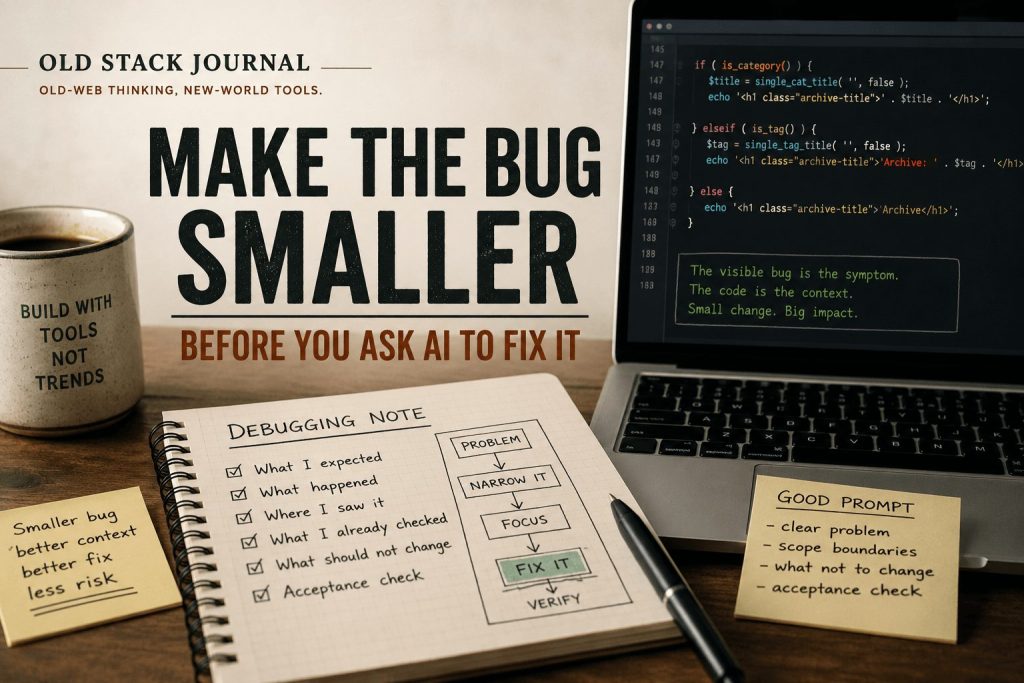
A good debugging prompt is not “here’s my whole project, what’s wrong?” A better one is closer to this:
On OSJ tag archive pages, the heading still says “Archive.” I want it to say “Posts tagged as:” only on tag pages. Check the current theme files, find the template or function responsible, make the smallest safe change, and don’t touch unrelated archive behaviour.That prompt gives the tool a much smaller target. It describes the visible problem, the desired behaviour, the scope boundary, and the type of change I want, while still leaving room for the AI to inspect the code and decide where the fix belongs.
That difference is huge because it changes the shape of the answer. Instead of inviting the tool to redesign the archive system, I’m asking it to fix one behaviour and preserve everything around it.
My usual debugging note format
I’ve started thinking of these as little debugging notes rather than big tickets. A note doesn’t need to be formal, but it does need enough shape that I can come back later and understand what happened.
The rough format is:
Problem:
What I expected:
What actually happened:
Where I saw it:
What I already checked:
What should not change:
Acceptance check:
For a WordPress theme issue, that might become:
Problem:
Category archive headings show “Category:” before the category name.

What I expected:
The archive page should show the category name without the “Category:” prefix.

What actually happened:
The browser shows “Category: AI Build Safety” at the top of the archive page.

Where I saw it:
OSJ category archive pages.

What I already checked:
This appears to be theme output, not a WordPress admin category description issue.

What should not change:
Do not remove category descriptions. Do not affect tag archive wording unless the same function controls both.

Acceptance check:
Category archive pages show the category name only, descriptions still display, tag pages keep their custom wording.
That’s not fancy, but it’s enough detail to stop the fix from drifting. It also forces me to separate the symptom from the assumption, which is one of those small habits that makes a bigger difference than it sounds.
“The category page is broken” is vague. “WordPress is adding the word Category somewhere” is an assumption. “The visible archive title includes the prefix Category:” is the actual observed thing, and that distinction matters because AI tools are very willing to follow a confident wrong assumption.
If I say the problem is in archive.php, it may focus there even if the theme is using a helper in functions.php. If I say the problem is the visible heading, it has more room to inspect the actual path instead of being boxed in by my guess.
Screenshots help, but they don’t reproduce the problem
Screenshots are useful because they show the visible bug quickly. I use them a lot, especially for layout issues where the problem is easier to see than describe, but a screenshot on its own can still be misleading.
If I upload a screenshot and say “fix this,” I’m still leaving out the state of the page, the URL type, the screen width, whether I’m logged in, whether it’s local or live, whether caching is involved, and whether the screenshot shows the first load or a stale version of the page. The better version is screenshot plus repro:
This screenshot is from a live OSJ tag archive page on desktop. The word “Archive” appears above the tag name. I want tag archives to say “Posts tagged as:” instead. The category archive pages should not be changed by this fix.Now the image has context. The AI can use the screenshot as evidence instead of trying to infer the whole task from pixels, which matters because a lot of UI bugs look similar from the outside.
A spacing problem might be CSS. A missing image might be metadata. A bad social preview might be Open Graph tags, caching, image dimensions, a plugin conflict, or the platform holding an old card. The screenshot shows the symptom, not the cause, so the repro is what turns it into something fixable.
The smaller prompt usually gets the safer patch
When I give AI a smaller debugging note, I usually get a smaller patch back. That’s the real win, because I don’t want a coding assistant to be timid, but I do want it to understand when the job is a keyhole fix.
If the problem is one Open Graph image tag missing from OSJ pages, I don’t want a full SEO system replacement. If the issue is one archive title prefix, I don’t want a theme structure cleanup. If a dashboard widget has one stale setting field, I don’t want the whole plugin settings page rewritten.
This is also why I like prompts that say things like:
Make the smallest safe change.
Do not refactor unrelated code.
Read the current files before changing anything.
Explain which file controls the behaviour.
Give me testing steps.
Those lines sound repetitive, but they save time. AI tools tend to be helpful in the direction you point them, so if you point them at “improve this,” they may improve half the project, while if you point them at “change this one behaviour and preserve the rest,” they’re more likely to stay inside the fence.
That doesn’t mean the first patch is always right. It just means the review surface is smaller, and I’d rather review a focused change in one or two files than inspect a sweeping patch that may have solved the bug while creating three new questions.
Where this helps most
This approach helps most on the kind of projects I actually build and maintain: WordPress themes, PHP apps, small plugins, server-side rendered dashboards, simple admin tools, and half-finished ideas that have been touched over several weekends. Those projects usually don’t fail in dramatic ways; they fail through little mismatches.
A label is wrong. A route redirects badly. A meta tag is missing. A template helper runs on the wrong archive type. A local file works but the VPS has a different PHP setting. A CSS rule looks fine on desktop and then folds badly on mobile.
For those bugs, a smaller repro is often enough. You don’t need a grand debugging ceremony, but you do need to isolate the page, the expected behaviour, the actual behaviour, the likely files, and the acceptance check.
It also helps when working with Codex or any tool that can edit files directly. The clearer the boundary, the less likely it is to wander through the codebase making “nice to have” changes I didn’t ask for.
Where it doesn’t help
There are still bugs where this approach doesn’t get you all the way there. If the problem is intermittent, environment-specific, caused by caching, tied to a third-party API, or only visible after a real production callback, then a small repro may not be available straight away.
Sometimes the first job is logging. Sometimes the first job is comparing local and live. Sometimes the first job is adding a temporary diagnostic page or checking raw HTTP responses.
That’s fine, and the debugging note still helps, but the acceptance check changes. Instead of “fix the bug,” the first pass might be:
Add logging around this callback.
Show the response code and error body.
Do not change the workflow behaviour yet.
That’s still progress because it turns a vague production problem into visible evidence. The mistake is trying to jump from “something is wrong somewhere” straight to “rewrite the thing until it works,” and I’ve done that enough times to know it usually costs more than it saves.
The takeaway
The best debugging habit I’ve found with AI coding tools is not writing clever prompts. It’s making the bug smaller before I ask for a fix, because smaller bugs produce smaller patches and smaller patches are much easier to review.
That means describing the visible problem clearly, separating what I know from what I assume, pointing to the page or workflow where I saw it, setting boundaries around what shouldn’t change, and giving the tool a simple acceptance check. None of that is glamorous, but it works.
For solo builders, that’s the whole point. I’m not trying to prove I can debug everything by hand, and I’m not trying to hand the whole project over to a tool; I’m trying to keep momentum without losing control of the codebase, and that starts by making the bug small enough to understand.