In this article
Question: How do you judge which AI assistant is most accurate?
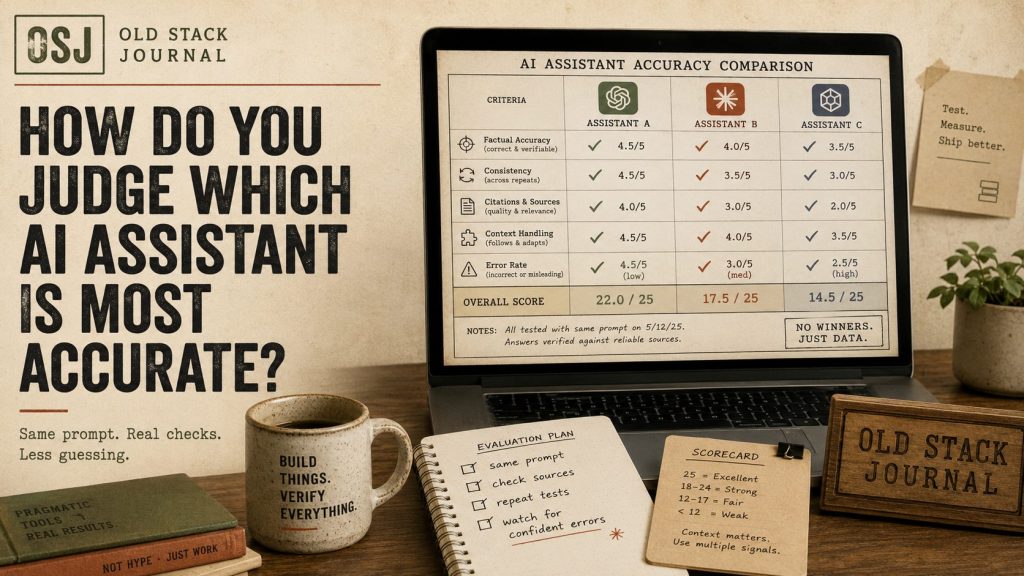
You judge AI assistant accuracy by testing the assistant on the work you actually need, not by trusting a generic leaderboard. A useful test includes real prompts, expected answers, failure cases, human review, and repeated runs, because an assistant can be strong at coding and weak at research, or good at short answers and sloppy with long project context.
Accuracy is not one thing
Searches for “the most accurate AI assistant” make sense. People want the tool that gets things right. The problem is that “accurate” depends on the job.
For a solo builder, accuracy might mean the assistant changes the right file without breaking the app. For a writer, it might mean the assistant preserves tone and does not invent facts. For a support workflow, it might mean the answer matches the policy every time. For research, it might mean citations actually support the claim.
Those are not the same test.
That is why broad benchmark claims can be useful background but poor buying advice. A model can do well on a public test and still fail your private workflow. Another model can be less impressive on a scoreboard but better at the specific mix of instructions, files, and judgement your work needs.
Start with your real tasks
The best first step is to list the tasks you actually use AI for.
For Old Stack Journal, that might include:
- turning Search Console queries into article ideas
- drafting a question-first article opening
- suggesting internal links
- cleaning up a plugin plan
- reviewing a Codex patch prompt
- turning rough build notes into a useful post
For a small business, it might be:
- summarising customer emails
- drafting replies
- checking website copy
- creating a simple spreadsheet formula
- explaining an invoice issue
- planning a landing page
Those are the tasks worth testing. Not abstract puzzles. Not viral prompts. Not someone else’s benchmark screenshot.
Build a tiny eval set
An eval sounds fancy, but it can start as a spreadsheet or Markdown file.
Create 10 to 20 prompts that represent real work. For each one, write down what a good answer must include and what would count as a failure.
Example:
Prompt: Turn these three Search Console queries into article recommendations for Old Stack Journal.
Good answer must: identify reader intent, avoid generic SEO content, suggest question-style titles, and say which terms to ignore.
Failure: recommends thin keyword articles, misses the existing content, or invents data.
That is a practical eval. It is not perfect, but it gives you a repeatable way to compare assistants.
OpenAI’s own evaluation guidance frames evals as structured tests for measuring model outputs, and also warns that human validation still matters when using model grading. That is the part I care about most for solo-builder work: test the tool, but do not outsource judgement.
Test failure cases on purpose
Do not only test easy prompts.
If you are using an assistant for writing, include a prompt with missing context and see whether it asks a useful question or confidently makes things up. If you are using it for coding, include an error message and see whether it asks for the relevant files or guesses wildly. If you use it for research, ask it to explain what it can and cannot verify.
Accuracy is partly about correct answers. It is also about how the assistant behaves when the answer is not obvious.
That matters in real work. The worst AI failure is not always a wrong answer. Sometimes it is a wrong answer delivered with a clean structure and total confidence.
Use a simple scoring system
You do not need a complicated benchmark.
For each test prompt, score the answer from 0 to 3:
- 0: wrong or unsafe
- 1: partially useful but needs heavy correction
- 2: mostly useful with some edits
- 3: good enough to use after normal review
Then add a short note about why.
The note matters more than the number. You may find that Assistant A scores higher on writing tasks, Assistant B is better with code patches, and Assistant C is faster for simple summaries. That is a useful result. It means you should stop looking for one magic assistant and start building a tool workflow.
Watch for context handling
For OSJ-style work, context handling is often more important than raw cleverness.
Can the assistant follow the voice? Can it remember that every article starts with a question and direct answer? Can it avoid generic AI hype? Can it compare a Search Console signal against the existing content map instead of chasing every query?
The same applies to coding. Can it keep the stack in mind? Can it respect file boundaries? Can it explain what changed? Can it make the bug smaller before trying to fix everything?
That is why I care about workflow as much as model choice. A good assistant with bad context will still produce messy work.
What I’d do next
If you are trying to choose the most accurate AI assistant, build a small private test set this week.
Use your real tasks. Include easy and annoying prompts. Score the answers. Keep notes. Run the same set again when a tool changes or a new model appears.
The answer may not be “this assistant is best.” It may be “this assistant is best for writing, this one is best for code review, and this one is best when I need fast rough thinking.”
That is less tidy than a leaderboard. It is also more useful.