In this article
- Make sure you’re selling to a real niche
- Make sure the offer isn’t just a commodity
- Check time-to-first-value
- Remove friction between signup and success
- Test the full account flow
- Test user isolation properly
- Validate forms and requests on the server
- Treat file uploads like a risk, not a feature
- Add rate limits before someone teaches you why they matter
- Check secrets and production config
- Test payments in live mode
- Check the 30-day cash model
- Decide whether setup, annual, or onboarding offers make sense
- Get proof before asking for too much commitment
- Check email delivery
- Check the database and backups
- Check background jobs and slow tasks
- Make sure you can see what broke
- Set up support and manual recovery paths
- Add the boring trust pages
- Check the public website like a stranger would
- Add analytics and feedback loops
- Test browsers, screens, and mobile properly
- Clean up before launch
- Run the final smoke test
- The goal isn’t perfection
Shipping a SaaS isn’t just getting the app online and pointing the domain at it. That’s the visible bit, and it’s usually the easiest part. The harder part is making sure the product can survive real users, real payments, real emails, real mistakes, real support requests, and all the weird little edge cases that only show up once someone outside your own browser starts clicking around.
A SaaS can look finished while still being fragile underneath. The homepage might be clean, the dashboard might load, and the payment button might work once in test mode, but that doesn’t mean the business is ready. The problems that bite you after launch usually aren’t cinematic. They’re boring things like password reset emails not arriving, plan limits being wrong, a background job getting stuck, a user landing on an empty dashboard with no idea what to do, or the app quietly letting one customer see another customer’s data.
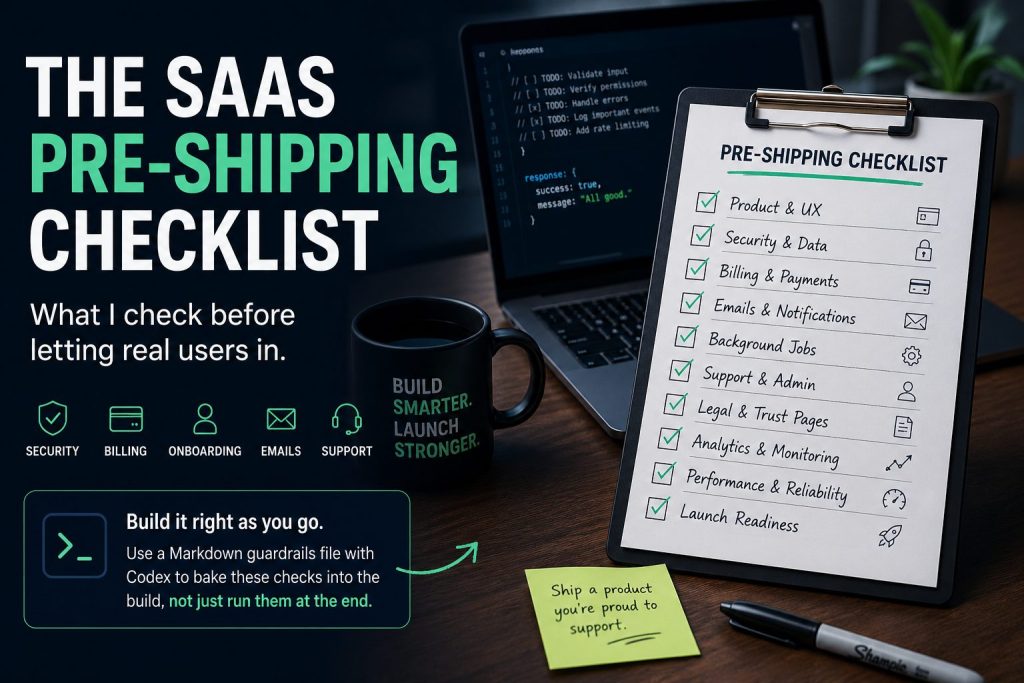
The best time to catch this stuff isn’t the night before launch. One thing I’ve started doing is turning this kind of checklist into a Markdown guardrails file that sits inside the codebase for Codex to reference while it works. That way, when it touches auth, billing, uploads, forms, jobs, admin screens, public pages, or API routes, it’s not just implementing the happy path. It’s also checking the boring launch-readiness pieces while the code is already open, which save’s a ton of cleanup time at the other end.
This is the checklist I run before letting real users in, but ideally it shouldn’t only exist as a final prelaunch panic document. It should shape the build as you go. It’s part product check, part security check, part business reality check, and part “please don’t make future you hate present you” checklist.
A quick credit before the checklist: sections 1, 2, and 3 were learned from and inspired by Warm-Reaction-456 on Reddit, he says it better than I can.
Make sure you’re selling to a real niche
Before you worry about polish, make sure the product is aimed at a specific person with a specific problem. “A tool for businesses” is weak because it doesn’t tell anyone who it’s for, what pain it fixes, or why they should care today. “A tool for residential renovation contractors who need to follow up leads faster without hiring admin staff” is much stronger because the buyer, the pain, and the outcome are all obvious.
A good SaaS niche usually has three things: pain, money, and reach. Pain without money is hard to monetize, money without pain creates weak urgency, and a niche you can’t actually reach is going to make marketing painful. Before shipping, write the product in this shape: “I help [specific person] get [specific outcome] without [specific thing they hate].” If that sentence still feels vague, your product probably does too.
Make sure the offer isn’t just a commodity
A generic tool gets compared with every other generic tool, and that usually drags you into weaker pricing and harder marketing. The fix isn’t always adding more features. A lot of the time, the better move is making the result clearer, faster, more believable, and more obviously useful for one type of customer.
Look at your landing page and ask whether a stranger can understand why this product is different for them in a few seconds. Screenshots, example outputs, demo data, case studies, and before-and-after results often do more than another feature buried in the app. The offer shouldn’t just be “software that does a thing.” It should feel like “software that helps this specific person get this specific result with less effort than their current method.”
Check time-to-first-value
The first session matters because that’s when the user decides whether this thing is worth more attention. If they sign up and land on an empty dashboard with no obvious next step, you’ve already made them work too hard. They need a small real win as quickly as possible, even if it’s not the full promised outcome yet.
That first win might be a generated report, a first video preview, an automation receipt, a cleaned-up file, a useful score, a working integration, or a simple setup step that proves the app is alive. Go through the product as a brand-new user and count how long it takes to reach something useful. Then remove steps, improve defaults, add examples, pre-fill sensible data, or guide the user until the first result feels obvious.
Remove friction between signup and success
Every form, empty state, upload box, settings page, API key, confirmation screen, and waiting screen is a chance for the user to leave. Some friction is necessary, but a lot of it is accidental. If the user has to understand your internal model before they can get value, the onboarding probably needs work.
Write down every step between landing on the site and getting the first useful result. Then ask what can be removed, delayed, explained better, handled automatically, or offered as a done-for-you setup. This isn’t just UX polish. Reducing effort can make the product more valuable without adding a single new feature.
Test the full account flow
Registration, login, logout, password reset, and email verification all need to work in production, not just locally. That sounds obvious, but it’s exactly the kind of thing people skip because they’ve been logging in as the same test admin for three weeks. Use a real email address and test the whole flow like a normal user would.
Also test the awkward states. A logged-out user shouldn’t reach private pages, a suspended or unapproved user shouldn’t keep using the app, and a deleted or expired account shouldn’t still have access because the UI hid a button but the backend forgot to check. Account bugs feel small until they happen to paying users.
Test user isolation properly
Open the app in two different browsers with two different users. Copy a URL from User A that contains an ID, then paste it into User B’s browser. User B shouldn’t be able to view, edit, delete, export, download, or interact with User A’s data in any way.
This needs to be enforced on the server, not just hidden in the frontend. Do the same check for API endpoints, files, invoices, reports, exports, admin routes, and anything with a direct URL. If changing an ID exposes someone else’s data, the app isn’t ready to ship.
Validate forms and requests on the server
Frontend validation is useful for convenience, but it’s not protection. Users can bypass it, bots can ignore it, and broken requests can still hit your backend. Every important form needs server-side validation, especially anything that creates, updates, deletes, pays, uploads, invites, or changes permissions.
Test missing fields, long text, weird characters, duplicate clicks, repeated submissions, invalid values, and unexpected combinations. Make sure output is escaped so user-entered text can’t turn into script execution. Add CSRF protection to sensitive actions, especially profile updates, billing actions, delete buttons, admin changes, and anything that modifies data.
Treat file uploads like a risk, not a feature
File uploads are easy to underestimate because they feel like a normal product feature. If your SaaS accepts images, PDFs, CSVs, documents, audio, video, or ZIP files, you need rules around file type, file size, storage location, permissions, and execution. Uploaded files should never be able to run as code.
Also check that private files can’t be guessed or accessed through predictable URLs. Test interrupted uploads, duplicate uploads, wrong formats, huge files, and files with strange names. If something fails, the user should get a useful message instead of a broken page or silent failure.
Add rate limits before someone teaches you why they matter
A SaaS shouldn’t let one user accidentally or deliberately burn through resources. Rate limits matter for login, registration, password reset, API calls, file uploads, AI requests, rendering jobs, scraping tasks, email sending, and anything else that costs money or server time. Even a simple per-user or per-IP limit is better than nothing.
If the product has credits, quotas, usage caps, or plan limits, enforce them on the backend. Don’t rely on hidden buttons or frontend state. The user should also see a clear message when they hit a limit, because a vague “something went wrong” error makes the app feel broken instead of controlled.
Check secrets and production config
No API keys, database passwords, Stripe secrets, SMTP passwords, private tokens, webhook secrets, database dumps, backup files, or local ZIP files should be sitting in GitHub or public directories. Production secrets should be different from local and test secrets, and debug mode should be off before real users arrive.
Error pages shouldn’t expose stack traces, SQL queries, file paths, environment variables, or framework internals. Check your .env handling, ignored files, deployment process, and public folders. This is the boring cleanup that saves you from very un-fun problems later.
Test payments in live mode
Payments need more than one happy-path test purchase. Make sure the payment provider is in live mode, the live webhook endpoint is configured, and webhook signature verification is enabled. Then test success, failure, renewal, cancellation, upgrade, downgrade, expired cards, and whatever plan changes your product supports.
A successful payment should grant the right access, a failed payment shouldn’t, and a canceled subscription should downgrade or remove access at the right time. Your pricing page also needs to match the actual plan limits in the app. If the page says 200 credits, the app shouldn’t quietly grant 100 or 500.
Check the 30-day cash model
MRR can make a SaaS feel healthier than it really is. The better early question is how much cash you collect from a customer in the first 30 days, and how much it costs to get and serve that customer. A cheap monthly plan can look fine in a lifetime-value spreadsheet while still creating a cash-flow hole at launch.
Before shipping, work out the first-30-days cash per customer. Include subscriptions, setup fees, onboarding packages, credit packs, annual plans, upgrades, and any day-one upsell. Then compare that with acquisition cost, support time, infrastructure cost, and any human work needed to deliver the result. Growth isn’t that helpful if every new customer makes the bank account feel worse before it feels better.
Decide whether setup, annual, or onboarding offers make sense
Some SaaS products are much healthier when they include a setup fee, annual plan, or done-for-you onboarding package. This works best when the niche is specific, the pain is strong, and the result is believable enough that the customer sees the setup help as valuable rather than annoying. It can also reduce churn because users who get onboarded properly are more likely to reach value.
That doesn’t mean every tiny SaaS should slap a setup fee on day one. If you don’t have proof yet, it might be smarter to work closely with a few early users, create real case studies, and then add stronger pricing once the outcome is clearer. The point isn’t to copy pricing tactics blindly. The point is to make sure the business model supports the product you’re actually shipping.
Get proof before asking for too much commitment
A new SaaS has a trust problem. Users don’t know whether it works, whether it’ll save them time, whether you’ll support it, or whether the product will still exist in six months. Proof reduces that risk.
Before launch, collect screenshots, example outputs, testimonials, founder notes, demo walkthroughs, early user results, or simple before-and-after examples. Even one small case study from the right niche can be more useful than a long feature list. If you don’t have proof yet, make that the first goal instead of rushing straight into a bigger launch.
Check email delivery
Transactional email needs to work in production. Password resets, email verification, receipts, invites, alerts, and important account messages should actually arrive. Test Gmail, Outlook, and iCloud if you can, because “it sends from the server” doesn’t always mean users will see it.
Set up SPF, DKIM, and DMARC for the sending domain. Make sure the from name, reply-to address, and support email are correct. Marketing emails need unsubscribe links, and transactional emails need plain copy that explains what happened without sounding like an internal system log.
Check the database and backups
Production should use a separate database from local development. Migrations should be applied, indexes should exist for common lookups, and important records should have useful timestamps. You don’t need enterprise database architecture for a small SaaS, but you do need the basics to be tidy.
Backups should run automatically, but that’s only half the job. A backup you’ve never restored is more of a hope than a recovery plan. Test a restore at least once, and check what happens when users, jobs, files, subscriptions, or reports are deleted. You don’t want broken orphan data showing up in admin screens after launch.
Check background jobs and slow tasks
Many SaaS products depend on cron jobs, queues, workers, webhooks, timers, or scheduled tasks. These need to run reliably in production, not just when you manually kick them from the terminal. Check that jobs can start, finish, fail, retry, and recover from stuck states.
Long-running tasks shouldn’t block normal page loads, and users should see useful status updates while they wait. Also test external API failures. If Stripe, OpenAI, an email provider, a rendering worker, or some other integration fails, the app should handle it cleanly and log enough detail for you to fix it.
Make sure you can see what broke
You need to know when production breaks. Logs should capture app errors, payment webhook failures, background job failures, API failures, login issues, and important admin actions. They shouldn’t contain passwords, full API keys, card data, private tokens, or sensitive user content.
At minimum, have a health check URL and a way to see disk usage, CPU, memory, failed jobs, queue status, and recent errors. A small SaaS doesn’t need enterprise monitoring, but it does need visibility. Flying blind is fine for a demo, not for something people are paying for.
Set up support and manual recovery paths
Before launch, decide where support requests go and how you’ll handle them. A visible support email is enough for many early products, but it needs to be checked. You don’t need a full helpdesk from day one, but you do need a way for users to reach you when something goes wrong.
You should also know how to manually fix common broken states. That might mean granting credits, resending verification emails, retrying stuck jobs, changing a plan, refunding a payment, disabling a bad account, or correcting a webhook miss. A simple founder-friendly admin panel can save a lot of stress after launch.
Add the boring trust pages
A SaaS should have a privacy policy, terms of service, refund or cancellation policy, and a visible contact method. If the product uses AI, stores user content, handles business data, or gives advice-like outputs, explain the boundaries clearly. If it’s not legal, financial, medical, or tax advice, say that where it matters.
These pages aren’t just legal decoration. They help serious users understand who’s behind the product, what data is handled, and what they’re agreeing to. You don’t have to make them dramatic, but you do need them to exist and make sense.
Check the public website like a stranger would
The homepage should explain what the product does in one clear sentence. The CTA should be obvious, the pricing should be understandable, and the FAQ should answer the objections a real buyer would have. Screenshots, demos, examples, and plan details need to match the current product, not a version you had two weeks ago.
Test login, register, contact, support, pricing, legal, and footer links. Add a favicon, useful page titles, meta descriptions, and a proper 404 page. Also check Open Graph previews so the product looks decent when someone shares it on X, Facebook, LinkedIn, Slack, Discord, or anywhere else that pulls a title, description, and image.
Add analytics and feedback loops
You need enough analytics to understand whether people are landing, signing up, activating, paying, and coming back. You don’t need to track every tiny click, but you should know where users drop off. Useful events might include landing page visit, signup, first product action, first successful result, upgrade, cancellation, and failed payment.
Qualitative feedback matters just as much early on. Make it easy for users to report bugs, ask questions, and tell you where they got stuck. After launch, your job isn’t just to watch traffic. It’s to find friction and remove it.
Test browsers, screens, and mobile properly
Test the app on Chrome, Safari, Firefox, Mobile Chrome, and Mobile Safari. Check small laptop screens, large desktop screens, and awkward mobile layouts. SaaS products are often built on a desktop monitor and then quietly fall apart on the phone where the user first opens the link.
Forms should be usable on mobile, buttons shouldn’t be tiny, tables shouldn’t destroy the layout, modals should work on touch devices, and long text should wrap properly. Even if most users will do the real work on a laptop, many of them will still discover, open, or pay for the product from a phone.
Clean up before launch
Remove test users, dummy jobs, fake payments, placeholder copy, old screenshots, debug banners, temporary files, unused admin accounts, local ZIPs, and anything else that makes the product feel half-finished. Check robots.txt and noindex rules as well. Public marketing pages should be indexable if you want search traffic, while private dashboards, invoices, admin screens, member pages, and user-specific outputs shouldn’t be.
Make sure you have a production admin account, a support inbox, a launch post, and a rollback plan. You don’t need a war room, but you should know how to undo the latest deploy or put the app into maintenance mode if something goes sideways.
Run the final smoke test
The final smoke test should be boring and complete. Create a brand-new user with a real email, verify the email, log in, complete the main product action, hit a plan limit, upgrade or pay, confirm the limit changes, trigger a real output, log out, log back in, and confirm the user’s data is still there.
Then try to access another user’s data by changing IDs in URLs. Cancel or downgrade the account, confirm access changes again, check the logs for errors, test the support email, open the product on mobile, and share the homepage somewhere private to check the preview. If that full path works, the SaaS is probably ready for a small launch.
The goal isn’t perfection
A pre-shipping checklist isn’t about pretending the product is finished forever. It’s about making sure the first version is safe enough, clear enough, useful enough, and honest enough for real users. You don’t need every feature, enterprise infrastructure, or a giant roadmap before launch.
You need a specific customer, a believable offer, a working product flow, secure user data, reliable payments, visible errors, a support path, and a money model that doesn’t punish you for growing. That’s the difference between shipping a demo and shipping a SaaS.
Got any other checks or tips to add? Add them below in the comments!