In this article
- LLMs are pattern machines, so give them the pattern
- Give it the job, the context, and the rules
- Full replacement files are often safer than snippets
- LLMs are bad at guessing hidden codebases
- Ask for diagnosis before patching
- Use “do not” rules, but make them concrete
- Tell the model what “done” means
- Be careful with words like “professional” and “best practice”
- LLMs love to overbuild
- Good prompts include the environment
- “Read first, then act” is a strong instruction
- Ask what assumptions it’s making
- Don’t hide the messy details
- Use examples of good and bad output
- Don’t ask for too many things at once
- Keep a project starter prompt
- Ask for comments around changes
- Don’t let the model silently change architecture
- Always ask for testing steps
- Be extra careful with SQL and server commands
- Give product goals, not just feature requests
- Give clear feedback when the model gets it wrong
- Review AI code like it came from a fast junior developer
- A weak prompt versus a strong prompt
- A good feature prompt
- A good writing prompt
- The best prompts are usually boring
Most bad prompts aren’t bad because they use the wrong magic words.
They’re bad because they leave too much open.
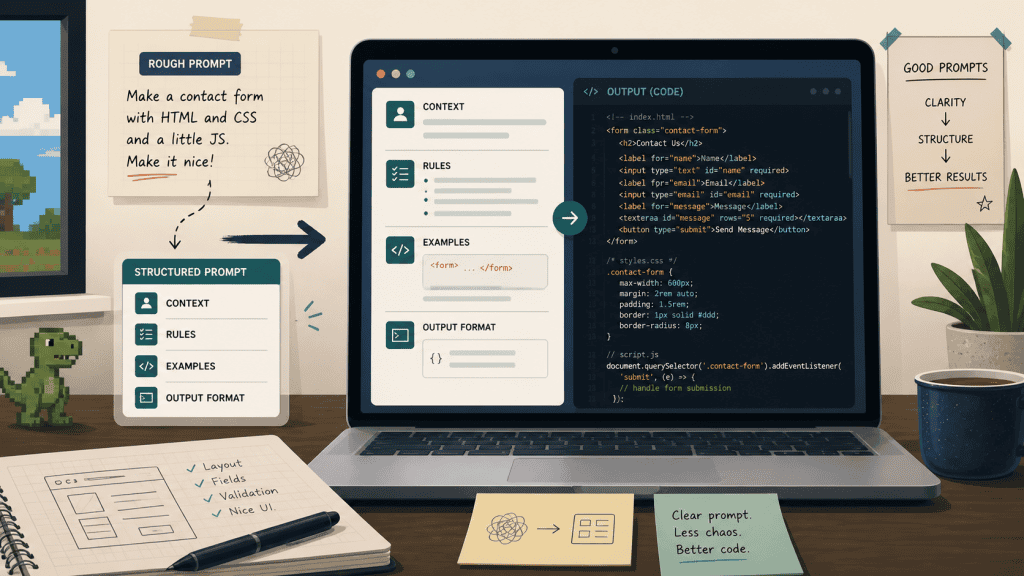
That’s probably the biggest lesson I’ve learned from using ChatGPT, Claude, and other LLMs for coding, debugging, writing, and planning small web projects. A prompt isn’t a spell. You’re not trying to discover the perfect sentence that suddenly makes the model brilliant. You’re giving it the job, the context, the boundaries, the examples, and a definition of what “good” actually means.
That sounds less exciting than “prompt engineering”, but in practice it works much better.
A weak prompt says:
Build me a dashboard.A better prompt says:
Build me a simple PHP/MySQL dashboard for tracking server uptime.

Context:
- This is for a small self-hosted site.
- I want plain PHP, no framework.
- MySQL table already exists.
- The page should be mobile friendly.
- I prefer boring, readable code over clever code.

Output:
- Give me the full replacement file.
- Do not rewrite unrelated parts.
- Add comments around the modified section.
The second prompt works better because the model no longer has to guess the stack, the environment, the style, the output format, or the level of complexity you want.
A lot of bad AI output is just the model filling in blanks the user didn’t realise they left open.
Which is rude, really, because the blanks often look very convincing once they’ve been filled with nonsense.
LLMs are pattern machines, so give them the pattern
One of the most useful habits is giving the model an example of the shape you want.
If I want a function written in a particular style, I don’t just say “make it clean”, because “clean” can mean almost anything. It might mean a small procedural helper in a plain PHP app, or it might mean a highly abstracted service class with interfaces and dependency injection.
The model doesn’t know unless I show it.
A better prompt is:
Write the new function in the same style as this one.

Existing style example:
[paste the function here]
New function needed: – Accepts a user ID. – Loads recent orders. – Returns an array grouped by status. – Must use the same database helper pattern as the existing function.
That usually gets a much better result than asking for “best practice” code.
“Best practice” can be useful, but it can also push the model into generic tutorial land. The best practice for a large SaaS product is not always the best practice for a small self-hosted tool, a WordPress theme, or a plain PHP project that one person needs to understand six months from now.
For real projects, I usually prefer language like this:
Use boring, maintainable code that fits the current project.
Prefer small changes over architectural rewrites.
That tells the model what kind of “good” I actually want.
Not the internet’s abstract version of good.
The version that fits the thing in front of me.
Give it the job, the context, and the rules
A good coding prompt usually has five parts:
- Goal: what you want changed.
- Context: what the app is, how it works, and what stack it uses.
- Files: the exact files involved.
- Rules: what not to touch.
- Output format: how you want the answer back.
For example:
Goal:
Add sorting to the All Ranked Routes table.

Context:
This is a plain PHP EVE Online hauling app. No framework. The table is rendered server-side in app/Views/home/index.php. Styling lives in public/assets/css/app.css.

Rules:
- Do not change the database.
- Do not change the route generation logic.
- Do not remove existing columns.
- Keep the current visual style.
- Add clear comments around new CSS and JS.

Output:
Give me the full replacement files only.
That kind of prompt saves a lot of back-and-forth because it limits the model’s freedom in useful ways.
You’re not asking it to invent a whole project. You’re asking it to make a specific change inside a specific project without touching things that already work.
The more specific the request, the less the model has to improvise.
That’s usually a good thing, unless you enjoy debugging someone else’s imagination.
Full replacement files are often safer than snippets
For small projects, I usually prefer full replacement files over snippets.
Snippets sound convenient, but they’re also where mistakes creep in. The model says “add this near the top”, but “near the top” means different things depending on the file. You paste it in the wrong place, miss a dependency, duplicate a variable, or accidentally put code inside the wrong block.
This is especially true with PHP, WordPress themes, small apps, CSS, JavaScript, config files, and anything where the exact location matters.
A better instruction is:
Return the complete modified file from top to bottom.
Do not use placeholders.
Do not say “rest of file unchanged.”
Even better:
Return only the files you changed.
Each file should be complete and overwrite-ready.
This isn’t always the right approach for large codebases, but for small solo projects it can be much safer. It also makes testing easier because you know exactly what the model thinks the final file should look like.
There is a lovely calmness in being able to overwrite one file, test, and roll back if needed.
Not glamorous.
Very good for the blood pressure.
LLMs are bad at guessing hidden codebases
One of the easiest ways to get bad AI coding help is to ask it to fix code it hasn’t seen.
If you say:
Fix the login issue in my app.The model will invent a likely app structure. It might assume Laravel, React, Express, WordPress, or some generic MVC setup. The answer may sound confident, but it’s still guessing.
A better prompt is:
I’ll paste the relevant files.
Read them first, then tell me what you think is causing the login issue.
Do not write code until you have looked at the actual files.
For bigger changes, I’d go further:
I’m going to upload a fresh zip of the current codebase.
Treat that as the only source of truth.
Do not rely on assumptions from previous versions.
This matters because LLMs are very good at completing patterns. If they don’t have your actual code, they’ll complete the most likely version of your project, not the real one.
That can be useful for brainstorming.
It is risky for patching.
The imaginary version of your app may be cleaner, more logical, and much less annoying than the real one. Sadly, the real one is the one you have to deploy.
Ask for diagnosis before patching
When something breaks, the instinct is to ask the model to fix it immediately.
Sometimes that works.
Often it causes drift.
A better approach is:
Read this file and explain what is likely wrong.
Do not give me a patch yet.

First, tell me:
1. what the bug probably is
2. where it is happening
3. what change you would make
4. what risks there are
This slows the process down in a good way.
It gives you a chance to see whether the model actually understands the problem before it starts rewriting code. If the diagnosis is wrong, the patch will probably be wrong too. If the diagnosis makes sense, then asking for the smallest safe fix is much less risky.
For debugging, logs are especially useful.
“The page is broken” gives the model almost nothing.
This is much better:
The home page now shows a 500 error after replacing HomeController.php.

Apache error log:
[paste the log here]
The file I changed:
[paste the file here]
What is the most likely cause? Do not rewrite the whole file. Find the smallest correction.
Logs are gold. The model is much better when it can respond to actual error output instead of guessing from a vague description.
Also, logs have the decency to be specific while being unpleasant.
A rare combination.
Use “do not” rules, but make them concrete
LLMs tend to follow positive instructions better than a huge wall of negative rules, but a few clear “do not” rules are very useful.
Good rules look like this:
Do not change the database schema.
Do not rename existing functions.
Do not touch .env.
Do not remove existing UI elements.
Less useful rules look like this:
Don’t mess anything up.
Don’t overcomplicate it.
Don’t do anything stupid.
That second version might feel clear emotionally, but it doesn’t give the model exact boundaries. Concrete rules work better because they map to actual project decisions.
I also use this instruction a lot:
Preserve all existing behaviour unless I explicitly ask to change it.Even better:
Before making changes, identify the existing behaviours this file currently handles, then make the smallest patch that preserves them.That helps because models can accidentally remove useful things while they’re “cleaning up”. They might delete a fallback, rename a function, simplify logic that was there for a reason, or remove a class that looked unused but actually mattered.
“Cleaner” is not automatically better.
Sometimes “cleaner” just means “the bug is now easier to read”.
Tell the model what “done” means
This is underrated.
If you ask:
Improve this page.You’ll probably get a generic improvement. Maybe better spacing, rewritten copy, a slightly different layout, and some changes you didn’t ask for.
A better prompt defines the result:
Improve this page so that:
- the top section explains the tool faster
- the buttons are easier to find
- the table takes less vertical space
- the mobile layout still works
- the existing colour palette stays the same
For code, you can do the same thing:
This is done when:
- the scanner page has an autocomplete item field
- selecting an item links to matching routes
- existing scanner behaviour still works
- no database schema changes are required
Defining “done” makes the output more focused. It also gives you a checklist for reviewing the result.
That’s useful because AI output can look complete while quietly missing the actual point, which is a marvellous little trap if you enjoy wasting your evening.
Be careful with words like “professional” and “best practice”
This applies to writing and code.
If you ask an LLM to “make this sound professional”, there’s a good chance you’ll get bland corporate writing. The model will sand off the useful edges and turn a normal human paragraph into something that sounds like it came from a SaaS landing page.
Instead of this:
Make this sound professional.I’d rather say:
Make this clearer, but keep it casual and practical.
Avoid marketing language.
Use contractions.
Keep the voice like a solo builder explaining what actually happened.
The same problem happens with code.
If you say:
Make this production-ready.The model may overbuild the answer with abstractions, services, interfaces, tests, dependency injection, and architecture you didn’t ask for.
Sometimes that’s appropriate.
For a small plain PHP project, it probably isn’t.
A better version is:
Make this safer and cleaner, but keep the app simple.
This is a small plain PHP project, not a framework app.
The model needs to know what kind of project it’s helping with. Otherwise, it may apply advice from the wrong world.
A lot of AI mess is just “good advice” from the wrong universe.
LLMs love to overbuild
This is one of the biggest coding pitfalls.
You ask for a small settings toggle, and the model gives you a settings service, a config abstraction, a database migration, middleware, a controller, a JavaScript state manager, and a caching layer.
Sometimes that kind of structure is useful.
Usually it’s too much.
A better prompt is:
Add this with the smallest safe change.
Do not introduce a new framework, new dependency, or new database table unless absolutely necessary.
Explain first if you think a database change is required.
I use “smallest safe change” a lot. It tells the model not to be lazy, but also not to rebuild the whole app.
The opposite problem can happen too.
If your prompt is vague, the model can underbuild. You ask it to “add user accounts”, and it gives you a toy login form with no password hashing, no sessions, no CSRF protection, and no real security thinking.
For anything serious, you need to specify the level:
Add a simple but safe login system for a private admin area.

Requirements:
- password_hash and password_verify
- PHP sessions
- CSRF token on login form
- logout route
- protect admin pages
- no registration page
- one admin user can be created manually in the database
The more security matters, the more explicit you need to be.
“Make it safe” is not enough.
Tell it what safe means.
Good prompts include the environment
For coding, the environment matters more than people think.
This is useful context:
Stack:
- PHP 8.3
- MySQL
- Apache
- No framework
- Runs on Ubuntu server
- Local editing via WAMP/GitHub Desktop
So is this:
Stack:
- WordPress theme
- Classic editor posts
- style.css, header.php, front-page.php
- No page builder
The model will produce different answers depending on the environment. “Add a route” means one thing in Laravel, another in Express, another in plain PHP, and another in WordPress.
If you don’t give the environment, the model will infer one.
That inference may be wrong.
And once the model has confidently decided you’re using Laravel when you are absolutely not using Laravel, the whole answer goes gently off a cliff.
“Read first, then act” is a strong instruction
One of the best ways to stop the model from sprinting ahead is to explicitly tell it to read first.
For code review:
Read the file first.
Summarise what it does.
Then suggest the safest change.
Do not rewrite it yet.
For debugging:
Read this error and the related file.
Tell me the most likely cause.
Rank possible causes from most likely to least likely.
For project continuation:
Read this starter prompt and treat it as project context.
Then wait for the files before writing code.
This works because LLMs often try to be helpful too quickly.
That’s useful when you want a rough draft. It’s less useful when you’re working on a real codebase and need the model to understand before it acts.
Sometimes the best thing an AI assistant can do is not touch the code yet.
Which is probably not a demo-friendly sentence, but it’s true.
Ask what assumptions it’s making
The weird thing about LLMs is that the answer can be beautifully formatted, confident, and wrong.
That’s especially true when it hasn’t seen the real files, doesn’t know the library version, assumes an API response shape, guesses the database schema, or invents a route structure.
A useful habit is asking:
What assumptions are you making?Or:
List anything you are unsure about before giving me the final patch.This often surfaces hidden guesses before they become broken code.
For non-trivial changes, I also like:
Before giving me the code, list the risks of this change.For example:
I want to move inline CSS into app.css.
Before patching, tell me what could break and how you’ll avoid it.
This is especially useful for CSS, because CSS changes can affect more of the site than expected.
CSS is very generous that way.
One small change here, one broken layout over there, and suddenly you’re learning humility.
Don’t hide the messy details
A lot of people clean up the problem before asking an LLM for help.
That can accidentally remove the clues.
Messy details are often useful:
I pasted the file in via WinSCP.
The page loads, but the new button does nothing.
No PHP error appears.
Browser console shows this:
[paste the console error here]
That gives the model real debugging signals. It knows there may be a JavaScript issue, a missing event listener, a cached file, or a script loading problem.
Without those details, it has to guess.
For UI work, screenshots can help even more. You can describe a spacing issue for ages and still not get a useful answer. A screenshot plus a specific instruction is much better:
Here is a screenshot.
The problem is the space under each table row.
I want denser rows, but still readable.
Do not redesign the whole page.
For UI changes, I usually include the screenshot, the current file, what I like, what I don’t like, and what must not change.
The unglamorous details are often the useful ones.
Much like most of web development, really.
Use examples of good and bad output
This works especially well for writing.
Instead of only describing the style, show the model what you mean.
Bad style:
This is not just a tool. It is a revolution.Good style:
This is useful, but only if you already know what you’re trying to build.Or:
Avoid this:
You do not need to configure a local environment.

Prefer this:
You don’t need to set up a local dev environment before you can test the idea.
Models pick up style quickly when you give them examples.
This also helps with the common problem where AI writing becomes too stiff. For casual posts or articles, I’ll often say:
Use contractions where natural:
- don't instead of do not
- that's instead of that is
- you're instead of you are

Avoid lots of short dramatic sentences.
Write like a practical solo builder, not a marketing page.
That instruction alone can make a big difference.
Especially the bit about short dramatic sentences.
Ask me why.
Actually, don’t.
We all know why.
Don’t ask for too many things at once
A huge prompt can work, but it can also cause the model to miss details.
Instead of asking:
Redesign the homepage, fix the nav, add login, add filtering, improve mobile, rewrite the copy, and add a footer.Break the work into stages:
First, fix the header layout only.
Do not touch the homepage content yet.
Then:
Now update the homepage card layout.
Use the same style as the header patch.
LLMs are much better when the task has a clear boundary. This also makes testing easier because you can check each change before moving on.
For small projects, this is one of the best ways to avoid AI-generated chaos.
Not very exciting. Very effective.
A recurring theme, unfortunately.
Keep a project starter prompt
For long-running projects, a starter prompt saves a huge amount of time.
It should include:
- project overview
- tech stack
- current file structure
- development workflow
- design philosophy
- features already built
- known gotchas
- patch rules
- what we are doing next
For example:
This is a plain PHP/MySQL app hosted on Ubuntu with Apache.
The app lives at /var/www/eve.
Apache DocumentRoot is /var/www/eve/public.
Do not touch .env.
Return full replacement files only.
The product is decision-first, not a dashboard.
The main user question is: “What should I do next?”
That kind of context keeps the model aligned across a project.
The important part is keeping it current.
If the code has changed, don’t let the model patch from memory. Give it the latest files and say:
Here is the latest full version of the file.
Patch this version only.
Ignore any older version from earlier in the chat.
For zip workflows:
This zip is the current source of truth.
Only modify files from this zip.
Return a patch zip containing modified files only.
This avoids the old code ghost problem, where the model confidently patches a version of the file that no longer exists.
Old code ghosts are annoying because they sound helpful.
Like most ghosts, probably.
Ask for comments around changes
When I’m manually reviewing or copying code, I like asking the model to mark the new sections.
For PHP or JavaScript:
// === START: TABLE SORTING ===
// code here
// === END: TABLE SORTING ===
For CSS:
/* === START: Compact route table rows === */
/* styles here */
/* === END: Compact route table rows === */
This makes it easier to review, revert, or move changes later.
It’s not always something you’d keep forever, but it’s useful during active development.
Especially when you are tired and future-you is already showing signs of being no help whatsoever.
Don’t let the model silently change architecture
This rule has saved me a lot of pain:
Do not change architecture unless you explain why first.Or more specifically:
Do not introduce a new service class, route file, or database table unless you first explain why the existing structure cannot handle this.Small projects become harder to maintain when every little feature turns into a new abstraction.
Sometimes architecture changes are justified, but they should be deliberate. The model shouldn’t quietly turn your small app into a framework cosplay project because it saw a pattern that looked impressive.
A small app does not need to dress up as a big app to be taken seriously.
It needs to work.
Always ask for testing steps
After a patch, ask for exact testing steps.
Good testing steps look like this:
1. Upload app/Views/home/index.php.
2. Clear browser cache.
3. Open /.
4. Click the Score column header.
5. Confirm rows sort descending, then ascending.
6. Check browser console for errors.
Bad testing steps look like this:
Test that it works.A model can usually produce very good manual test steps if you ask for them.
This is one of the most underrated uses of AI. It’s not just there to write code. It can help reduce the chaos around coding.
The same applies to deployment, debugging, and planning:
Create a deployment checklist for this patch.
Assume I am uploading files with WinSCP and testing in the browser.
Or:
Create a debugging checklist from least risky to most risky.Or:
Break this feature into small phases that can each be tested separately.That’s where LLMs are genuinely useful. They’re very good at turning a messy task into a clear sequence.
And frankly, some days that is half the battle.
Be extra careful with SQL and server commands
LLMs can be dangerous when the task involves destructive SQL, live server commands, payment systems, authentication, privacy, or real user data.
For SQL, don’t ask casually:
Give me SQL to clean this up.Ask for a preview first:
Give me a SELECT query first so I can inspect what would be affected.
Then give me the UPDATE or DELETE separately.
Do not include destructive SQL until after the preview query.
For example:
I need to delete duplicate rows from imported_site_staging.

First:
- give me a SELECT showing duplicates
- explain the criteria

Then:
- give me the DELETE query
- make sure it keeps the lowest id
For server work, include paths and commands:
Server path:
/var/www/eve

Command I ran:
php scripts/generate_routes.php

Error:
[paste the error here]
Relevant file: [paste the file here]
Then ask:
Give me the next command to run.
One command at a time.
Explain what it checks.
“One command at a time” is useful when you’re working on a live server and don’t want a wall of commands you don’t fully understand.
Very few good things begin with copying ten unexplained terminal commands into a live machine and hoping for the best.
Give product goals, not just feature requests
If you ask:
What should I add next?You’ll usually get generic feature ideas.
A better prompt gives the product goal:
This app is meant to become a daily-use decision tool.
The user should open it, immediately see what to do, take action, and come back tomorrow.
Given that goal, what should we add next?
Now the suggestions are filtered through the product philosophy.
The same applies when asking for features.
Instead of:
Add saved routes.Try:
Add saved routes in a way that supports the daily-use loop.

User flow:
- user sees a good route
- clicks Save
- saved route appears in a small “Saved Runs” section
- user can remove it later
- this should not distract from Best Runs Right Now
That makes the feature more likely to fit the product instead of just existing as another button.
This is also why I like decision-first instructions for app design:
Do not turn this into a dashboard.
The page should answer one question quickly:
“What should the user do next?”
Prioritise actions, recommendations, and clear labels over charts and raw stats.
A lot of AI-generated apps drift toward dashboards because dashboards are easy to imagine.
If you want a tool that helps the user act, you need to say that.
Otherwise you’ll get fourteen cards, three charts, a “recent activity” panel, and still no answer.
Give clear feedback when the model gets it wrong
LLMs improve within a conversation when you correct them clearly.
Bad feedback:
That’s wrong.Better feedback:
This is wrong because the app does not use routes.php.
Clean URLs are handled through public/index.php and HomeController.php.
Try again using that structure.
Even better:
You assumed Laravel.
This is plain PHP.
Rewrite the answer without framework assumptions.
The model can usually recover if you tell it exactly where it went off track. Vague frustration doesn’t help much, but precise correction does.
This is deeply unfair because vague frustration is often the most emotionally honest response.
Still, precise correction works better.
Review AI code like it came from a fast junior developer
Generated code should be reviewed like code from a junior developer who is fast, helpful, and sometimes confidently wrong.
I don’t mean that as an insult.
That’s just the safest way to use it.
Check things like:
- Did it remove anything?
- Did it rename anything?
- Did it assume a table exists?
- Did it add a dependency?
- Did it expose secrets?
- Did it skip escaping output?
- Did it break the mobile layout?
- Did it hardcode a path?
- Did it silently change behaviour?
The model can save hours, but it still needs supervision.
This is the bit that gets missed in a lot of AI hype. These tools are useful, but they don’t remove the need to understand what “working” means. They can get you moving faster, but they can also move you faster in the wrong direction if you don’t steer.
A fast assistant is still an assistant.
You’re still the builder.
A weak prompt versus a strong prompt
Here’s a simple example.
Weak:
Make my WordPress header better.Strong:
I’m working on a custom WordPress theme for Old Stack Journal.

Goal:
Update the header so the tagline sits beside the site title on the left, and social links sit on the right.

Files involved:
- header.php
- style.css

Rules:
- Keep the existing theme structure.
- Do not add plugins.
- Do not change front-page.php.
- Keep it responsive.
- Use text links for now, not icons.

Social links:
[paste the links here]
Output: Give me full replacement files for header.php and style.css only.
The weak prompt asks the model to invent taste, structure, constraints, and output format.
The strong prompt gives it a job.
That’s the difference between generic AI design and useful project work.
A good feature prompt
Here’s another example for a small coding feature:
I want to add autocomplete to the scanner item name field.

Context:
This is a plain PHP/MySQL app.
The scanner page is app/Views/scanner/index.php.
The backend already has tracked_items in the database.
There is no frontend framework.

Requirements:
- As the user types, suggest matching item names.
- Keep it lightweight.
- Do not add npm, React, or a build step.
- If JS is needed, use plain JavaScript.
- Preserve the existing scanner form.
- Add comments around the new code.

Output:
Return the full modified scanner/index.php file.
Then give me manual testing steps.
This prompt works because it gives boundaries.
It tells the model the stack, the file, the feature, the limits, and the output format.
That’s usually enough to avoid a lot of unnecessary mess.
Usually.
The model may still have a little adventure if you let it.
A good writing prompt
The same principles apply to writing.
Weak:
Write an article about Bolt.new.Better:
Write this as a casual article for Old Stack Journal.

Voice:
- practical
- first-person
- slightly rough notes turned into an article
- use contractions
- avoid hype
- avoid corporate language
- don't use lots of short dramatic sentences

Topic:
My experience using Bolt.new as a solo builder.

Points to include:
[paste the notes here]
Output: One complete copyable article. Use headings, but keep paragraphs flowing.
Voice instructions matter. Examples matter. The model needs to know whether you want a polished marketing post, a rough builder diary, a review, a tutorial, or an opinion piece.
If you don’t specify the style, it will often default to generic internet writing.
Nobody needs more generic internet writing.
The internet appears to have enough.
The best prompts are usually boring
The best prompts aren’t clever.
They’re clear.
A boring prompt like this works extremely well:
Here is the current file.
Here is the exact change I want.
Here are the things you must not change.
Return the full file.
That beats a fancy prompt most of the time.
The real skill isn’t finding magic words. It’s learning how to give the model enough context to be useful without giving it so much freedom that it starts inventing things.
For coding especially, the workflow that works best for me is straightforward:
- give it the real files
- ask it to understand first
- make small changes
- get full replacement files
- test immediately
- correct it with exact feedback
- repeat
That’s where these tools become genuinely useful.
Not because they replace knowing what you’re doing, but because they speed up the parts where you already have a direction and need help getting there.
LLMs are not magic answer machines. They’re fast assistants that need context, constraints, examples, correction, and review.
The better you get at providing those things, the more useful the tools become.
And the less likely you are to wake up inside a project that technically works but somehow feels haunted.