In this article
- What is Promptadora?
- I started with a deliberately rough prompt
- It understood the actual problem
- The generated result was much easier to use
- Promptadora doesn’t treat the first result as final
- You still need to read what it adds
- The interface makes a strong first impression
- Light mode, dark mode, and appearance controls
- Workspaces help separate different types of prompts
- Version history is one of the best features
- Copying and sharing fit naturally into the workflow
- You can export your workspace
- The account controls are simple and sensible
- The free plan gives you a proper way to try it
- Who Promptadora is likely to help
- Experienced prompt writers may still find it useful
- When a local folder may still be enough
- What I still want to test
- My early verdict
Question: Is Promptadora a better way to organise and improve AI prompts?
For people who use AI regularly, I think it could be. Promptadora takes the rough instructions most of us type into ChatGPT and turns them into clearer, more complete prompts, but that’s only part of what it does. It also gives those prompts a proper home where they can be saved, organised, improved, copied, shared, versioned, and exported.
After my first round of testing, Promptadora feels less like a one-click prompt generator and more like a working prompt library. That’s a big difference because there are already plenty of tools that can make a short instruction longer. Promptadora is trying to solve the bigger problem: useful prompts get buried in old chats, copied into random notes, overwritten during editing, or forgotten entirely.
What is Promptadora?
Promptadora is a dedicated workspace for creating and managing AI prompts. You can begin with a quick, badly worded idea, let the app turn it into a structured prompt, and then save the result inside a workspace for later use.
From there, you can edit the prompt, ask Promptadora to improve it again, return to previous versions, organise it alongside related prompts, or copy it into whichever AI tool you use. It isn’t trying to replace ChatGPT, Claude, Gemini, Codex, or the other AI tools already in your workflow. Instead, it sits one step before them and helps you prepare and maintain the instructions.
That feels like a sensible boundary for the product. Promptadora handles the prompt itself, while your chosen AI assistant still does the actual work.
I started with a deliberately rough prompt
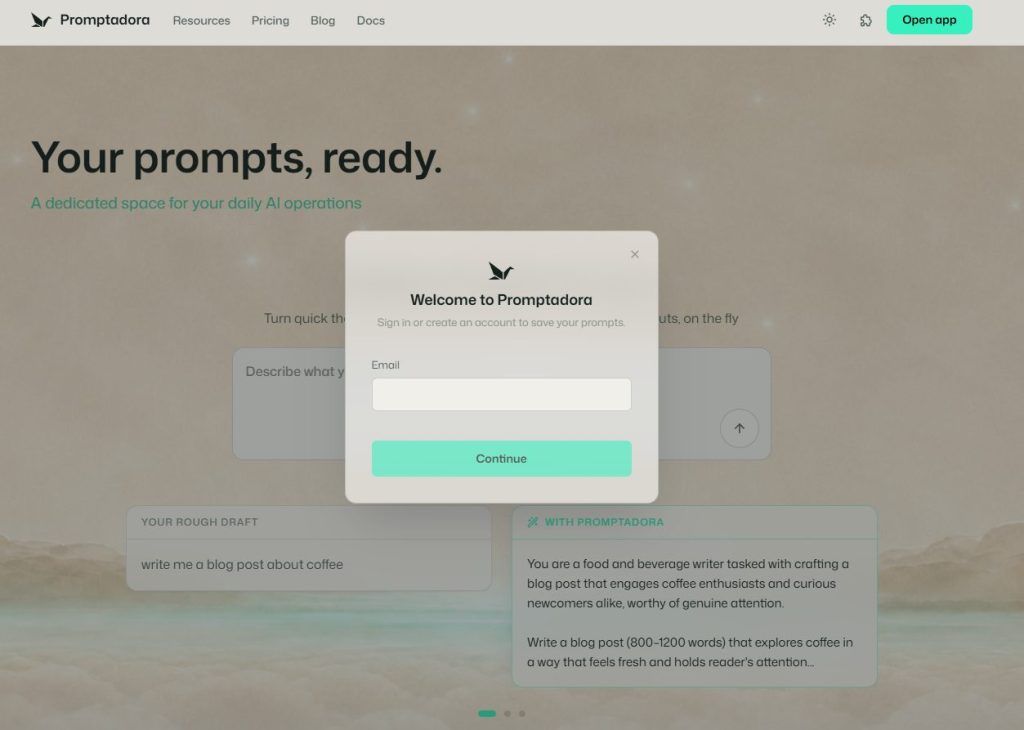
I didn’t want to test Promptadora using a carefully written request that already contained everything the final prompt needed. That would’ve made it difficult to tell whether the app was doing anything useful or simply reformatting a good prompt.
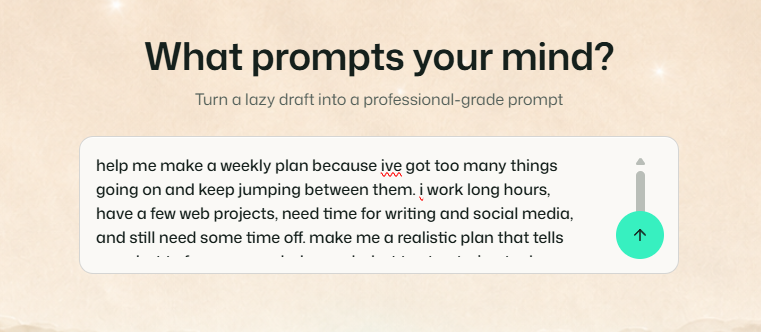
I gave it this:
help me make a weekly plan because ive got too many things going on and keep jumping between them. i work long hours, have a few web projects, need time for writing and social media, and still need some time off. make me a realistic plan that tells me what to focus on each day and what to stop trying to do
This is closer to how people actually use AI. It was rushed, informal, and missing plenty of detail, but the intention was there.
Promptadora turned that rough request into a much more complete instruction organised into five sections:
- Situation
- Task
- Objectives
- Knowledge
- End-state
The generated version explained the user’s circumstances, defined the task, added practical constraints, and described what a successful answer should achieve. It looked like something I could copy directly into an AI assistant and expect a reasonably focused response.
It understood the actual problem
The strongest part of the result was that Promptadora did more than correct my spelling and rearrange a few sentences. It recognised that the request wasn’t really about filling a calendar. The real issue was constant context switching, too many competing projects, limited energy after long workdays, and no clear permission to leave something alone.
The generated prompt asked the AI to group similar work together, plan around actual work hours and energy, identify low-value work to cut or defer, protect recovery time, and clearly state what shouldn’t be done on each day.
Those additions made the original request more useful without changing its basic purpose. One particularly good addition was the idea that what the person stops doing matters as much as what they start doing. That wasn’t stated clearly in my original draft, but it was obviously part of what I wanted.
This is where Promptadora showed its value. It didn’t just make the request sound more professional. It found the practical brief inside a messy prompt and made that brief explicit.
The generated result was much easier to use
Instead of asking vaguely for a weekly plan, the improved prompt gave the receiving AI a role, a situation, a set of constraints, and a clear end result. That should reduce the chance of getting another generic productivity answer filled with ideal morning routines and unrealistic daily schedules.
The structured format also makes the prompt easier to review. I could quickly see what Promptadora believed the task was, what assumptions it had added, and what kind of response it expected.
That’s much easier to work with than one large paragraph of instructions. It also means you can remove or rewrite individual sections without having to untangle the whole prompt.
Promptadora doesn’t treat the first result as final
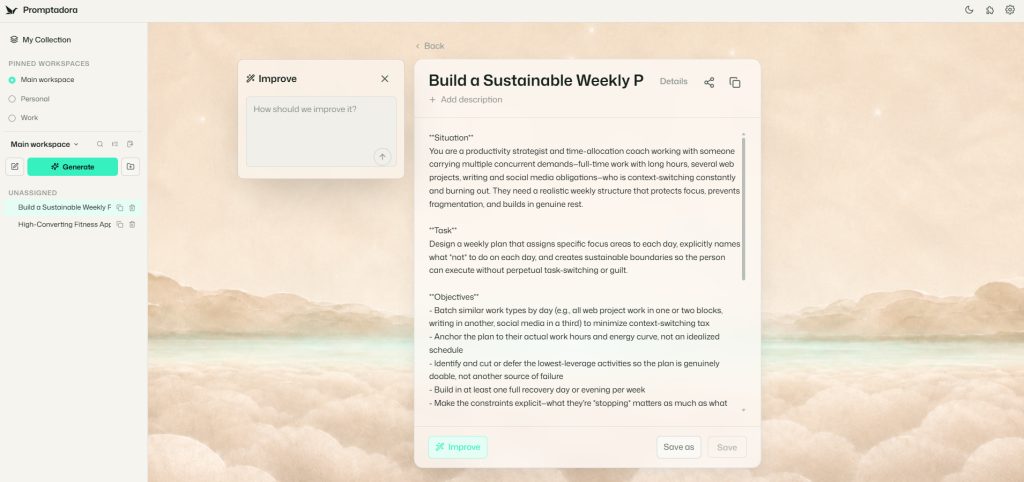
The generated prompt opens inside a proper editor where it can be read, changed, copied, saved, shared, or improved again. There’s a separate Improve panel where you can tell Promptadora how you want the current version changed.
You could ask it to shorten the prompt, remove unnecessary sections, change the tone, add missing constraints, target a particular AI tool, or request a different output format. This makes more sense than treating the first generation as the finished product.
Prompt writing is usually iterative. You try an instruction, inspect the result, adjust the wording, and test it again. Promptadora appears to have been designed around that reality rather than pretending that one button press will always produce the perfect prompt.
You still need to read what it adds
Promptadora introduced some material that wasn’t present in my original request. For example, the improved prompt included a specific claim about how long it takes to recover from context switching.
The general idea supported the task, but the figure itself didn’t come from me and wasn’t sourced inside the generated prompt. That didn’t make the result unusable, but it’s worth noticing because a polished prompt can make added assumptions sound more authoritative than they are.
This isn’t a reason to avoid the tool. It’s simply a reminder that AI-assisted prompt improvement still needs a human pass. Promptadora makes that review straightforward because the generated text is clearly presented and fully editable.
I’d treat the output as a strong first draft rather than unquestionable instructions. That’s how I’d treat anything generated by an AI system, especially when the subject involves statistics, health, law, finance, or other areas where unsupported claims matter.
The interface makes a strong first impression
Promptadora doesn’t look like another generic AI dashboard with a black sidebar, purple gradient, glowing buttons, and an imitation chat window. It uses a soft landscape background, pale work panels, restrained controls, and a focused central editor.
The interface has personality without getting in the way of the prompt. The decorative background could easily have made the working area distracting, but the editor cards provide enough separation to keep the content readable.
The main layout is also easy to understand. Workspaces and saved prompts appear on the left, the active prompt sits in the centre, the improvement panel opens beside it, and the details and version-history panel appears on the right.
I didn’t need much explanation before I understood what to do. The main Generate button is obvious, the prompt input is clear, and the copy and sharing controls are easy to find.
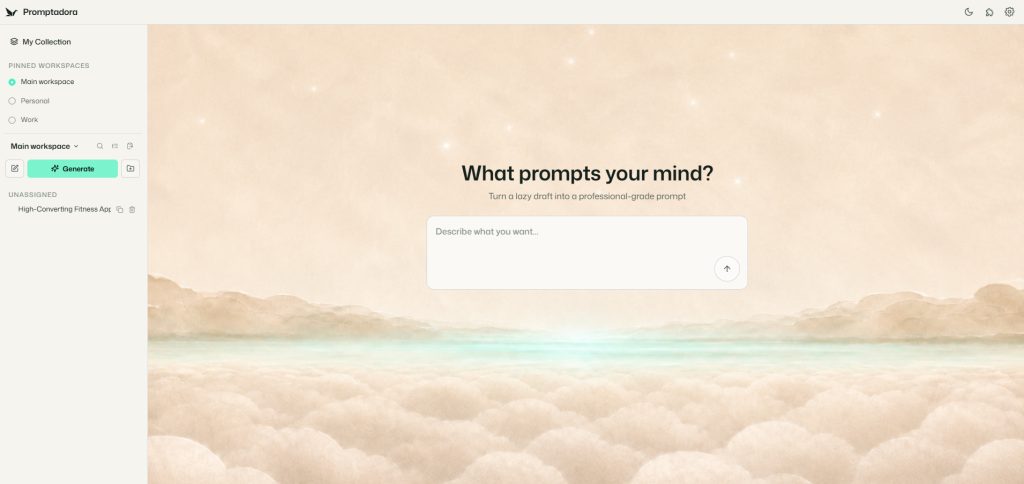
The interface feels like a workspace rather than a novelty generator. Once a prompt has been created, there’s somewhere useful for it to go.
I did notice that the generated title was visually cut off in the editor header. In my test, it displayed as “Build a Sustainable Weekly P.” That appears to be a layout issue rather than lost content, and it’s a minor complaint compared with how clean the rest of the workspace feels.
Light mode, dark mode, and appearance controls
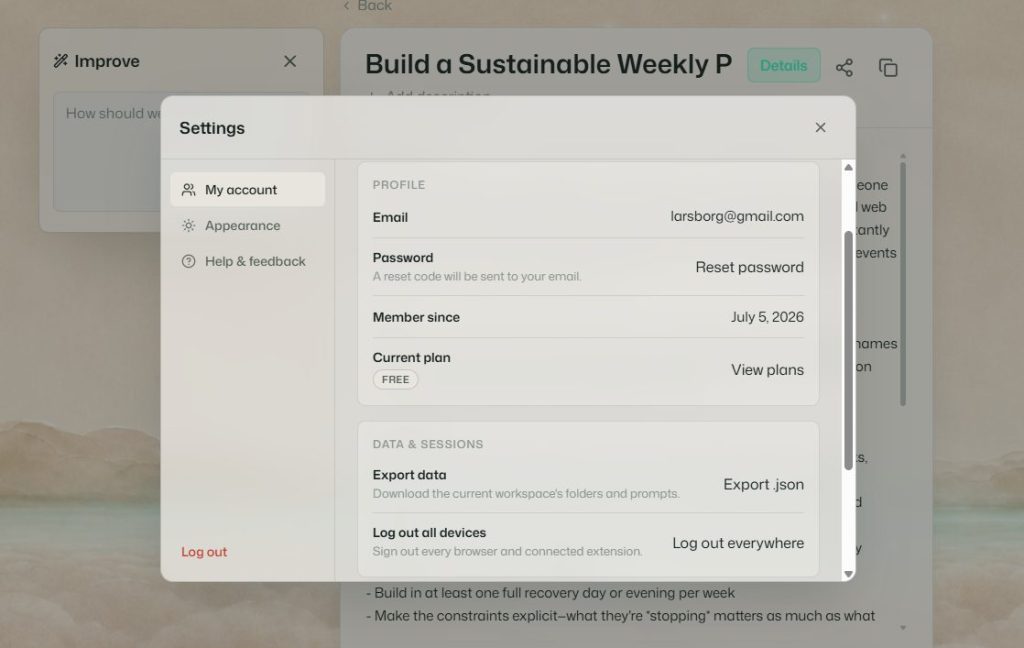
Promptadora includes proper light, dark, and system appearance options. The system option is useful because it lets the app follow the rest of your desktop or browser setup without needing to be switched manually.
You can also select from several accent colours. These recolour links, highlights, buttons, and other interface elements throughout the app.
Accent selection isn’t a reason to subscribe to a prompt manager, but it adds to the impression that Promptadora has been designed with regular use in mind. The default light theme works particularly well with the soft landscape background and gives the app a calmer feel than the usual AI dashboard.
Workspaces help separate different types of prompts
Promptadora doesn’t place everything into one endless prompt list. The sidebar includes separate workspaces, such as a main workspace, personal area, and work area. Prompts can also remain unassigned until you decide where they belong.
That separation could become useful quickly. A solo builder might create different areas for coding, content writing, social media, project planning, research, and client work. A developer could organise prompts by project, while someone using AI both personally and professionally could keep the two libraries separate.
The app also includes search and organisation controls in the sidebar. I haven’t tested them with a very large prompt library yet, so I can’t say how well the layout holds up once there are hundreds of saved prompts. Even so, the underlying structure is already more useful than keeping everything buried inside unrelated AI chat histories.
Version history is one of the best features
Each prompt includes version history. The details panel shows the prompt’s creation date, character count, current version, earlier versions, timestamps, restore controls, and copy controls.
This is one of the features that moves Promptadora beyond a normal notes app. Prompts tend to evolve as you test them against real tasks. You add a new constraint, change the output format, shorten a section, or adapt a working prompt for another project.
Sometimes those changes improve the result, and sometimes they make it worse. Without version history, it’s easy to overwrite the last prompt that actually worked.
Promptadora lets you experiment without permanently losing an earlier version. That’s especially valuable for longer prompts used in repeated workflows, where one apparently small edit can change the output quite significantly.
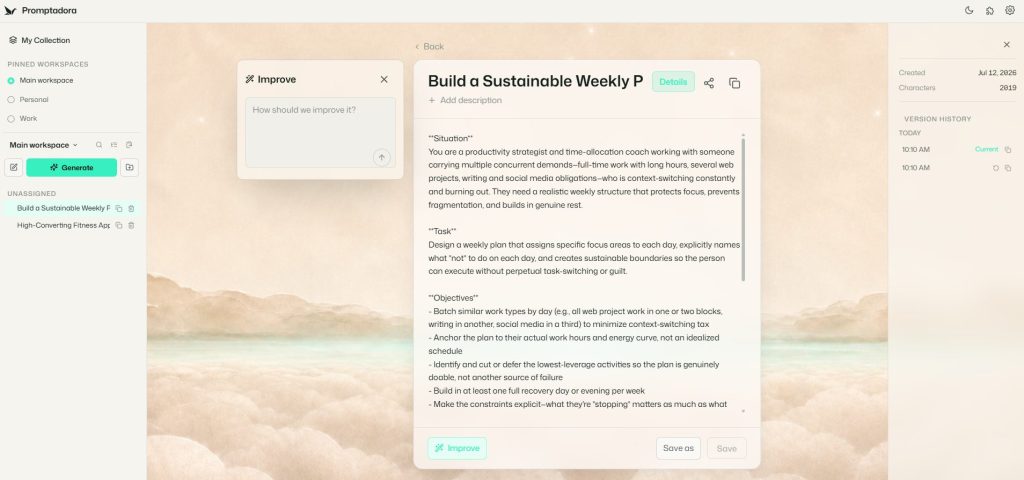
The current history view appears to identify versions mainly by time. Named versions or short revision notes would make it easier to understand what changed after several edits, but the underlying feature is already genuinely useful.
Copying and sharing fit naturally into the workflow
The editor includes straightforward copy and sharing actions. The copy button matters because most users will still run the final prompt somewhere else.
You can build and maintain the prompt in Promptadora, then paste it into ChatGPT, Claude, Gemini, Codex, or whatever specialist AI tool is appropriate for the job. This keeps the workflow flexible and avoids tying your prompt library to one model provider.
The sharing controls also suggest uses beyond personal storage. A consultant could share a tested prompt with a client, a team could distribute standard instructions, and a creator could assemble a set of prompts for other people to use.
I haven’t tested the full sharing workflow yet, but it fits naturally with the rest of the product rather than feeling like an unrelated extra.
You can export your workspace
Promptadora includes a JSON export inside the account settings. The export is described as including the current workspace’s folders and prompts.
That’s an important feature because a prompt library can become valuable over time. It may contain coding rules, business processes, content structures, research methods, client requirements, and project-specific instructions.
Being able to download that information reduces the risk of trapping everything inside a hosted service. It also means you have a route to a local backup instead of relying entirely on the app.
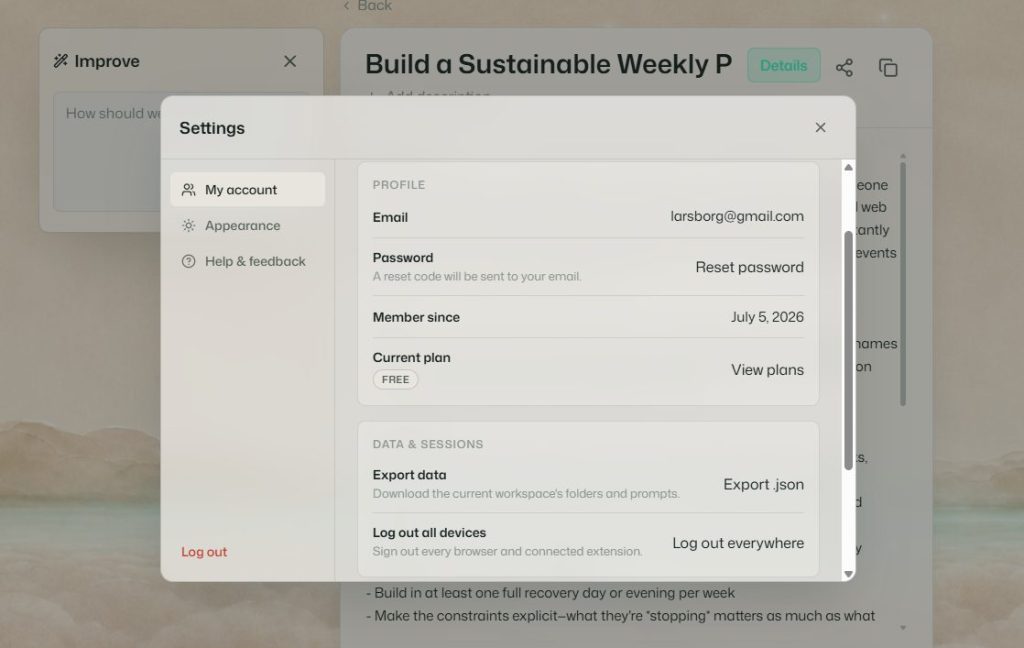
I still need to inspect the exported JSON file to see how much detail it preserves. In particular, I’d want to know whether it contains descriptions, folder structure, dates, version history, and sharing metadata. Even without that test, the presence of a clear export option is a positive sign.
The account controls are simple and sensible
The account section includes password reset, membership date, current plan details, workspace export, and the ability to log out on every device.
The global logout option is particularly sensible for a product that may be used through both a browser and a connected extension. It gives users a quick way to close every active session if they’ve used the app on another computer or think an account may have been left open somewhere.
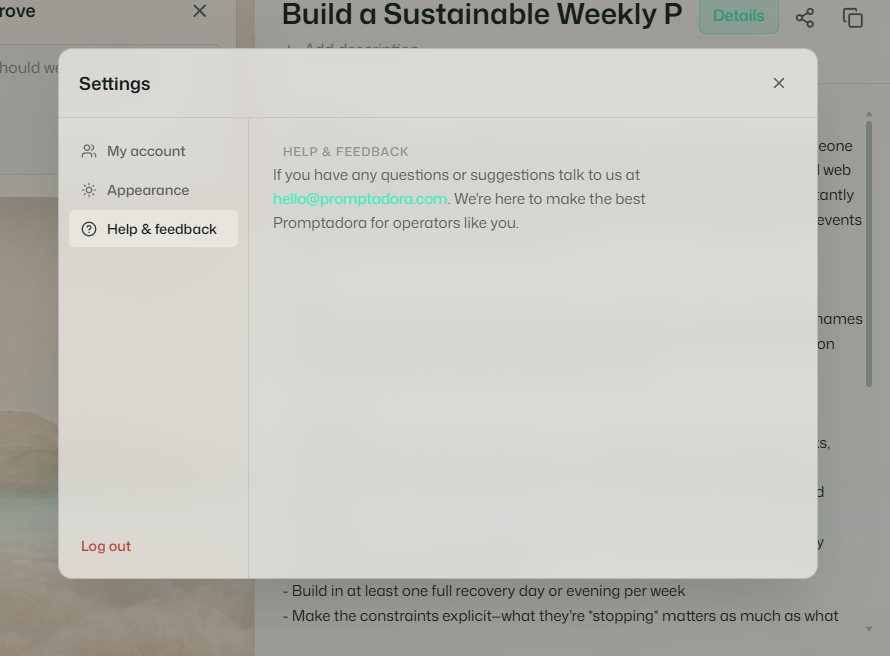
Support is handled through a direct email address. That’s simple, but for a focused product it may be preferable to being pushed through a chatbot and several layers of generic help-centre content.
The free plan gives you a proper way to try it
My testing so far has been on the free plan. Promptadora lets you experience the core idea rather than only showing a product tour or a locked demonstration.
You can enter a rough prompt, see how the generator handles it, and begin using the workspace. That’s the right way to evaluate a product like this because the value is difficult to understand from a feature list alone.
You need to give it one of your own rough instructions and see whether the improved result is something you’d genuinely use.
The paid plan will make the most sense for people who are building a larger library, generating prompts frequently, sharing prompts, or using Promptadora as part of a regular workflow. The question isn’t whether you can write prompts without it, because you obviously can. The real question is whether Promptadora makes prompt development and reuse organised enough to save you time.
Based on the workflow I’ve seen so far, I think it has a good chance of doing that for regular AI users.
Who Promptadora is likely to help
Promptadora looks especially useful for people who use AI as part of their actual work rather than only for occasional questions. That includes developers maintaining coding and debugging prompts, writers with repeatable article instructions, marketers building campaign workflows, consultants working across clients, agencies sharing standard processes, and solo builders managing several projects.
It could also help people who know roughly what they want from an AI assistant but struggle to express it clearly. Starting with a rough draft is easier than trying to remember a complicated prompt framework every time.
The app doesn’t require you to know the correct names for prompt sections or think like a prompt engineer. You describe what you need, then review and adjust the structure Promptadora produces.
Experienced prompt writers may still find it useful
Promptadora isn’t only for beginners. Someone who already knows how to write detailed prompts may not need help turning a rough sentence into a structured brief, but the library, version history, workspace separation, sharing, and export features can still be valuable.
For experienced users, the generator may become only one part of the product. The larger benefit is maintaining prompt assets properly instead of treating them as disposable messages inside temporary conversations.
It’s similar to the difference between writing a useful code snippet in a temporary console and saving it somewhere it can be found, revised, reused, and shared later.
When a local folder may still be enough
Promptadora won’t replace every prompt-management method. Some people will be perfectly happy using Markdown files, a notes app, a private Git repository, or project-specific instruction files.
Those options can be cheap, portable, searchable, and flexible. A developer who already keeps prompt files alongside each codebase may not need another hosted tool.
Promptadora’s advantage is convenience. It combines generation, improvement, organisation, version history, sharing, copying, and export inside an interface built specifically for prompts.
You don’t need to design your own folder structure, manage Git commits, or manually maintain a revision trail. For people who enjoy building their own system, local files may remain the better choice. For people who want the system ready to use, Promptadora is much easier to approach.
What I still want to test
There are several parts of Promptadora I still need to explore before calling this a final review. I want to test Promptflows, the browser extension, search across a much larger collection, shared prompts, the contents of the JSON export, the practical limits of the free plan, and the value of the paid plan.
I’d also like to see how well the interface behaves on smaller laptop screens and mobile devices. The desktop workspace is attractive and spacious, but prompt tools are often used alongside another app, which means the available window may be narrower than the screenshots shown here.
The most important comparison will be running both the original rough prompt and the Promptadora version through the same AI model. A clean prompt looks impressive inside an editor, but the real test is whether it produces a more useful, relevant, and dependable response.
My early verdict
Promptadora has made a stronger first impression than I expected. It took a genuinely rough request, identified the practical problem behind it, and turned it into a structured prompt I could use immediately.
The workspace then gave me somewhere sensible to save, revise, organise, copy, and recover that prompt later. The interface is polished without becoming distracting, the workspace structure is easy to understand, and the version history solves a real problem for anyone who regularly adjusts longer prompts.
The appearance settings are well handled, the JSON export provides a path to your own data, and the product remains focused on one clear job. It isn’t claiming to replace every AI platform or automate every part of your work.
Promptadora gives prompts a dedicated place to be developed and maintained, then lets you use them wherever they’re most useful.
For someone who only asks AI occasional one-off questions, it may be more organisation than they need. For someone building a growing collection of prompts across projects, clients, or repeatable workflows, Promptadora could become a very useful part of the setup.
My early view is positive. The prompt generator works well, but the real product is the organised workspace around it.
Go and try Promptadora for yourself at promptadora.com and see what it does with one of your own rough prompts.
Check back in a few weeks where I’ll see how the app has progressed and check out more of Promptadora’s features not tested this round!